
 Need help?
Do you have a question about the Two-Rock Custom Reverb and is the answer not in the manual?
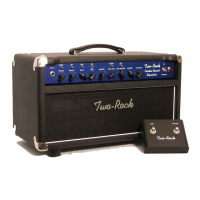
High impedance input for your instrument. Plug your instrument in here.
Adjusts the high frequency response. High frequencies bypass to ground when fully counter-clockwise.
Adjusts the mid-range response. Creates a scooped tone when fully counter-clockwise.
Adjusts the bass response. Low frequencies are cut when fully counter-clockwise.
Boosts the mid-range frequency response.
Boosts low and low-mid frequencies, affecting low frequency contour.
Adjusts overall amplifier gain, setting signal level for the lead channel.
Adjusts the output level of the clean channel.
Boosts high frequency response, most effective at 12 o'clock input gain.
Detailed steps for adjusting the amplifier's bias for optimal performance and tube health.
 General
| Channels | 2 |
|---|---|
| Reverb | Yes |
| Rectifier | Solid State |
| Type | Tube Amplifier |
| Speaker | 1x12" |
| Configuration | Combo or Head |
| Output Tubes | 4x 6L6 |
| Preamp Tubes | 3x 12AX7, 1x 12AT7 |
| Reverb Type | Tube Driven Spring Reverb |
| Controls | Reverb |
| Speaker Output | 8Ω and 16Ω |
| Weight (Approx.) | 35 lbs |
| Dimensions (Approx.) | 19" W x 9.5" H x 9.5" D |

 To Next Page
