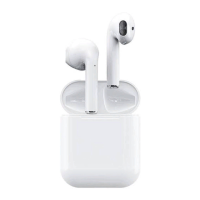
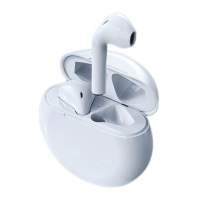
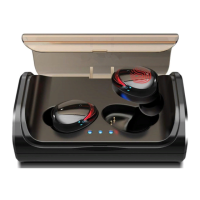
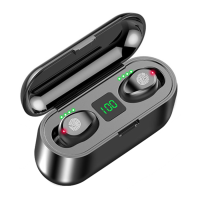
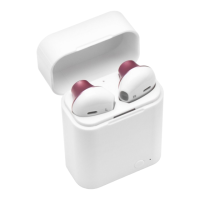
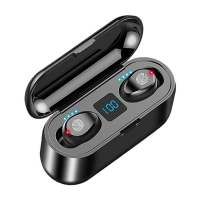
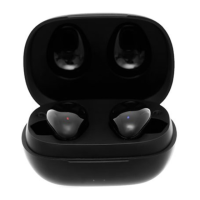
Specifications:
True wireless stereo (TWS), real no wires design, individual left and right channel. HIFI sound, both the
left and right earbud are Bluetooth enabled, could be used separately, or used as one pair.
Bluetooth version: V42+EDR (both sides), ultra low consumption
Bluetooth Mod: A2DP1.3/HFP1.6/H5P1.2/AVRCP1.6/0.11.3.
Bluetooth Frequency: 2.4GHZ
Bluetooth Range: 12 meters with no obstacles
Battery capacity: Earbud: 65mah rechargeable Li-ion battery Charging dock:950mah (optional)
Talk/Play time: Single earbud mode:5-6 hours One Pair earbuds mode:4-5 hours
Standby time: Single earbud mode:100 hours One Pair earbuds mode:60 hours
About pairing:
1. Pairing with one earbud: long press the multi-function button until the led flashing in red and blue
alternately, then turn on the Bluetooth on your device and select” HBQ-i7tws” on your list, there
would be reminding voice saying” connected’ then you could enjoy music or making phones calls,
it supports reporting incoming calls.
2. Pairing with both sides:
long press the multi-function buttons of both sides at the same time until the led flashing in red
and blue alternately;
then double click EITHER side to enter pairing mode, there would be reminding voice” ready to
pair”
turn on the Bluetooth on your device and choose” HBQ-17TVIfS’ to connect when the led flash
slowly in blue, they pair successfully. Battery status display on your cellphone
NOTE: THERE would be only one earbud working when making/answering phone calls, but both sides
could control power off/play/pause function individually when connected, the other one would be
synchronized. Memory function supports connecting devices automatically if being .
Bluetooth usage:
1. Making phone calls:
Be sure the earphone connected with your mobile phone, and then you can make phone calls.
When making calls, there is only one side earphone working, and there s incoming call, it would
broadcast calling numbers. You answer the call by slightly press the power button one time and
refuse to answer by quick press the power button 2 times. When the earphones are in music
mode, you dial your latest number by quick press the power button 2 times(redial the latest
number).
2. Listening to music:
Be sure the earphone connected with your mobile phone, then you can listen to music on your
music list. Shortly press the power button to stop the music and replay by press again.
3. power off.
Long press the power button until led in red when not use, the Bluetooth device enter off mode. It
would be power off automatically when the earphone away from your Bluetooth device over 5
minutes. No need to worry power exhausted.
4. Charging:
There is reminding sound when battery is low, and the led would flash in red at the same time.
When taking charge, the led would be in red, and turns in blue when fully charged. Note: the
earphone would be forced to shut down when charging even if they are power ON before
charging.
5. Switch language modes
The earbuds enter pairing mode when led flash in red and blue alternately, long press the multi-
function button to switch mode from Chinese to English (reminding voice” English mode” )



 To Next Page
 Loading...