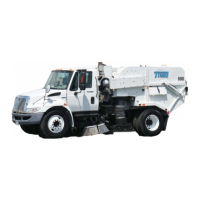
500XOPTRS 10 2008
Clean Out
At the end of the shift, drive the sweeper to a wash area. Wash out the hopper and make sure to
clean hopper screens, separator, hopper suction inlet, suction tube, and underneath the
pick-up head. An optional sweeper deluge is available to facilitate cleaning the hopper and un
-
derneath the pick-up head.
Service
Aside from routinely washing out the hopper, the hopper assembly requires very little service.
1. Separator Assembly
– The separator is a drum-like area found inside the blower side
of the hopper. Its function is to rid the air stream of dust particles through use of cen-
trifugal force rather than filters. Service the separator daily by fully tilting the hopper
to open separator door. Wash the interior of separator chamber.
2. Skimmer Slots
– The skimmer slots allow the dust particles to escape the air stream
before it enters the blower housing. If they are clogged, then the separator WILL
NOT FUNCTION CORRECTLY. The dust particles in the air stream will continue
through the blower housing resulting in dust being blown out of the pick-up head.
This is why it is important to clean the separator DAILY.
3. Skimmer Hood – Inside the Model 500X hopper is a shielded area attached to the
separator door. This shielded area is formed by what is called the Skimmer Hood
and is designed to create a void into which the fine dust removed by the separator
skimmer slots can accumulate. The skimmer hood protects the separator skimmer
slots from being choked off by debris being deposited in the hopper during operation.
4. Separator Liner
– The separator liner protects the separator wall from abrasion. This
is an item that is meant to be replaced over time and should be checked regularly.
5. Inlet Scroll and Separator Door Scrolls
– The separator scrolls are wear items and
are meant to be replaced over time. They are lined with rubber and should be
checked regularly.
6. Sweeper Seals
– The sweeper must maintain an air tight seal to perform adequately.
Inspect the dump door seal, blower housing seal, suction tube seal, and pressure
transition seal DAILY! If any of the seal material is missing, replace the seal. Refer to
the 500X Quick Reference Chart for seal locations.
7. Hopper Screens
– The large screens found inside the hopper are very important for
preventing large debris from entering the separator and blower assembly. Inspect
the screens DAILY! If any large holes are found, do not operate the sweeper until
screen has been repaired or replaced. Refer to M01787 for hopper screen location.
Once every 500 hours the hopper screen should be removed and the inlet area
above the separator should be cleaned thoroughly. If allowed to become stopped up,
the sweeper efficiency would be drastically reduced. Refer to M01787 for the sepa-
rator inlet location.
8. Wear Liners
– The suction inlet is one of the hoppers hot spots. It receives a lot of
debris impact because it is the first thing that the debris hits when entering the hop-
per. This is why the suction inlet is provided with two wear liners for protection.
These liners are meant to be replaced over time and should be checked DAILY for
wear. When a hole has been worn through them, it is time to replace them.


 To Next Page