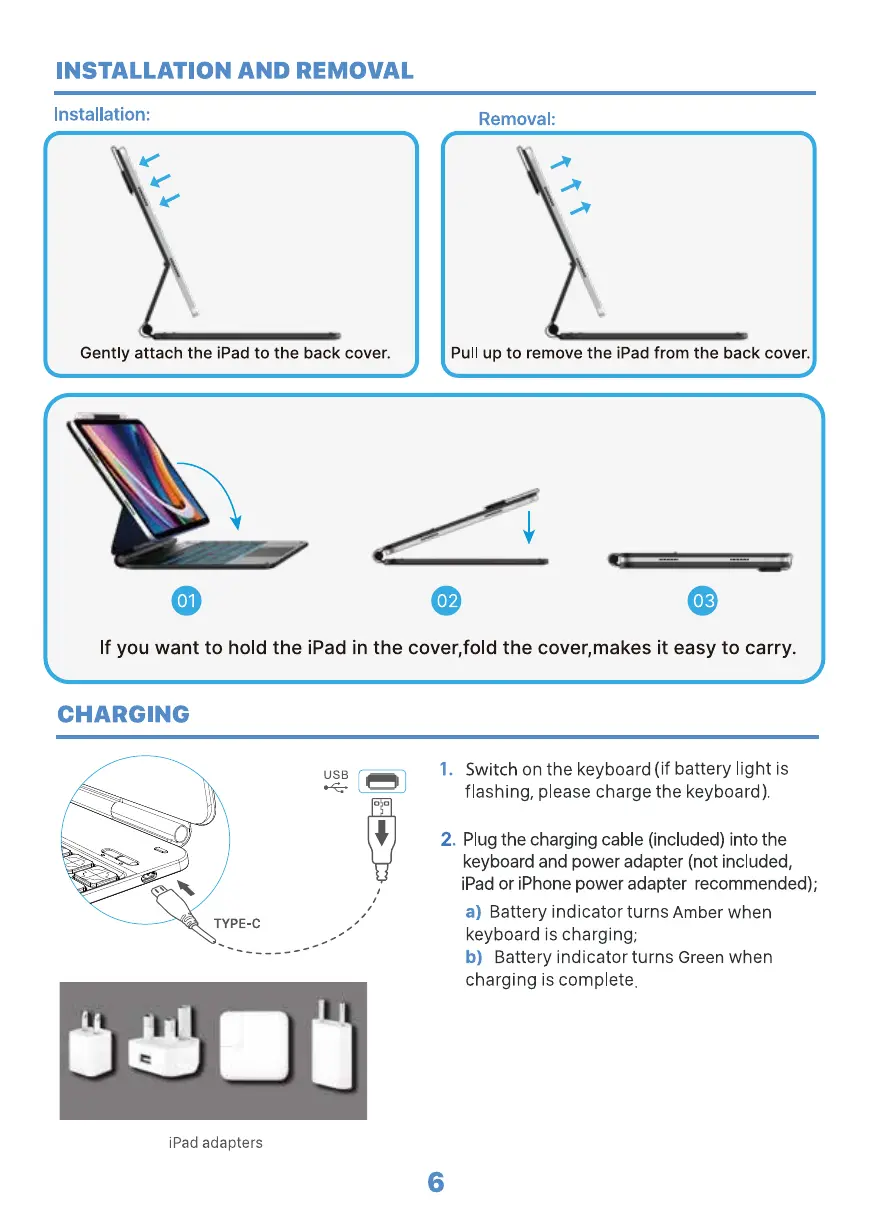
INSTALLATION AND REMOVAL
Installation:
Gently attach the iPad to the back cover.
Removal:
Pull up to remove the iPad from the back cover.
02 03
If you want to hold the iPad in the cover,fold the cover,makes it easy to carry.
CHARGING
USB
TYPE-C
iPad adapters
2.
6
Switch on the keyboard (if battery light is
flashing, please charge the keyboard).
Plug the charging cable (included) into the
keyboard and power adapter (not included,
iPad or iPhone power adapter recommended);
a) Battery indicator turns Amber when
keyboard is charging,
b) Battery indicator turns Green when
charging is complete.


 To Next Page