INSTALLATION AND REMOVAL
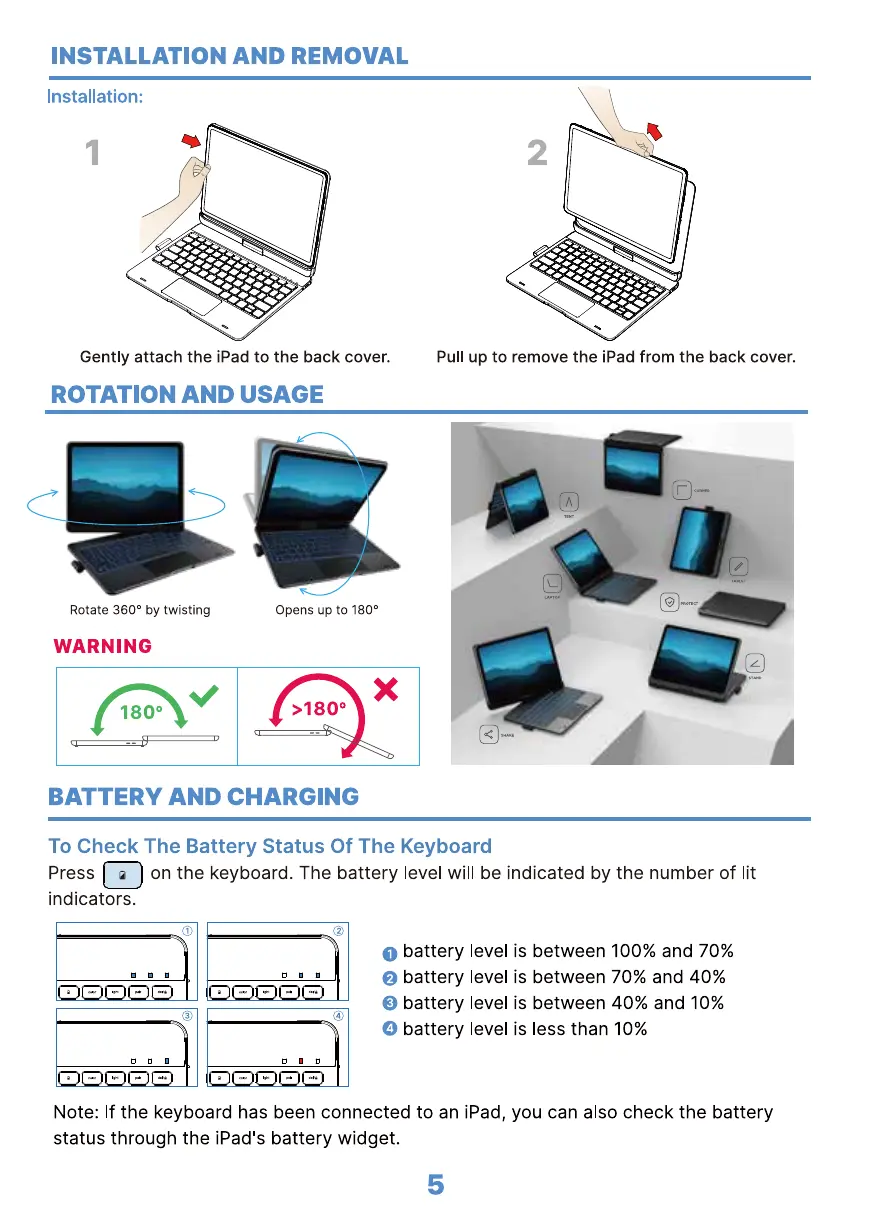
Installation:
Gently attach the iPad to the back cover.
ROTATION AND USAGE
2
Pull up to remove the iPad from the back cover.
Rotate 3600 by twisting
WARNING
1800
Opens up to 1800
x
>1800
BATTERY AND CHARGING
To Check The Battery Status Of The Keyboard
Press on the keyboard. The battery level will be indicated by the number of lit
indicators.
O battery level is between 100% and 70%
battery level is between 70% and 40%
0
O
battery level is between 40% and 10%
O
battery level is less than 10%
Note: If the keyboard has been connected to an iPad, you can also check the battery
status through the iPad's battery widget.
5


 To Next Page