BATTERY AND CHARGING
TYPE-C
usa
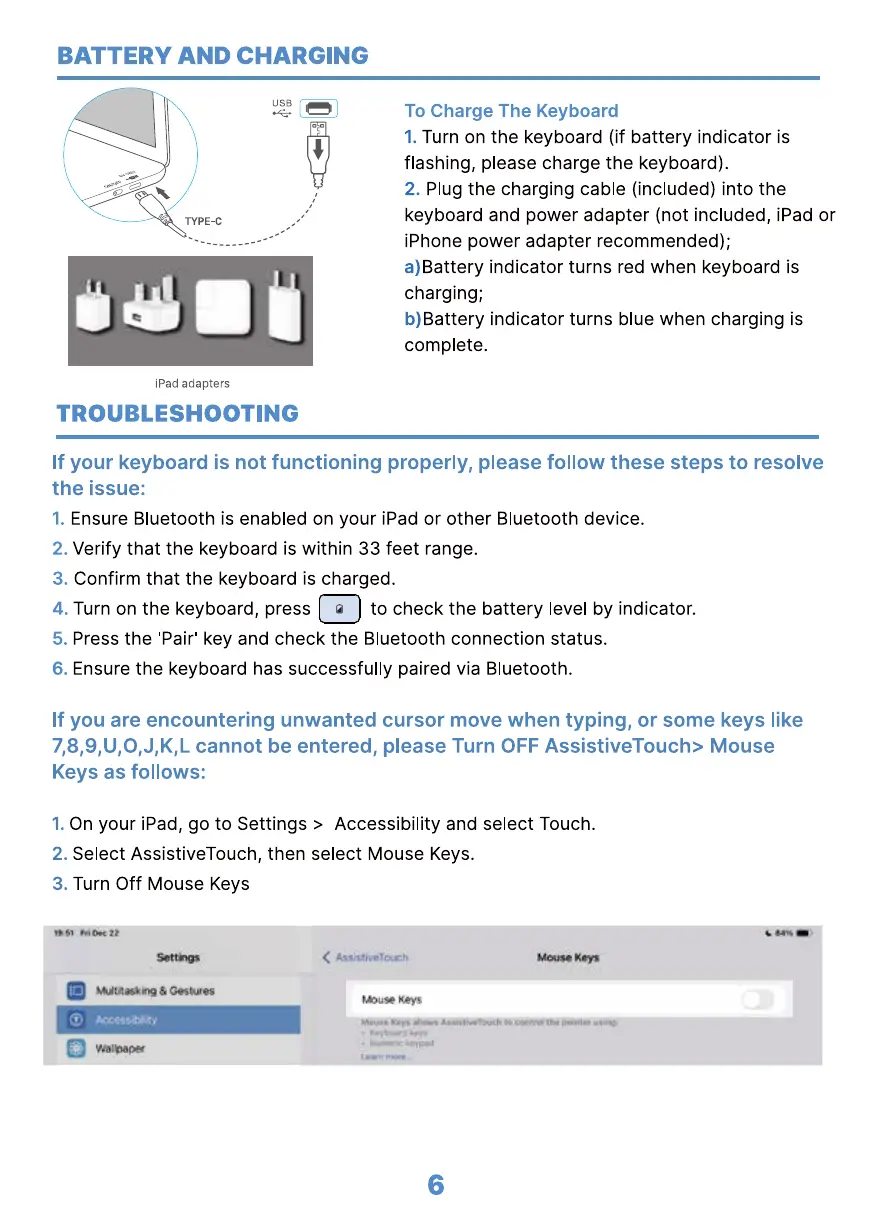
To Charge The Keyboard
Turn on the keyboard (if battery indicator is
1.
flashing, please charge the keyboard).
Plug the charging cable (included) into the
2.
keyboard and power adapter (not included, iPad or
iPhone power adapter recommended);
a)Battery indicator turns red when keyboard is
charging;
b)Battery indicator turns blue when charging is
complete.
iPad adapters
TROUBLESHOOTING
If your keyboard is not functioning properly, please follow these steps to resolve
the issue:
1.
2.
3.
4.
5.
6.
Ensure Bluetooth is enabled on your iPad or other Bluetooth device.
Verify that the keyboard is within 33 feet range.
Confirm that the keyboard is charged.
to check the battery level by indicator.Turn on the keyboard, press
Press the 'Pair' key and check the Bluetooth connection status.
Ensure the keyboard has successfully paired via Bluetooth.
If you are encountering unwanted cursor move when typing, or some keys like
7,8,9,U,O,J,K,L cannot be entered, please Turn OFF AssistiveTouch> Mouse
Keys as follows:
On your iPad, go to Settings > Accessibility and select Touch.
1.
Select AssistiveTouch, then select Mouse Keys.
2.
Turn Off Mouse Keys
3.
uouse Keys
6



 To Next Page