22
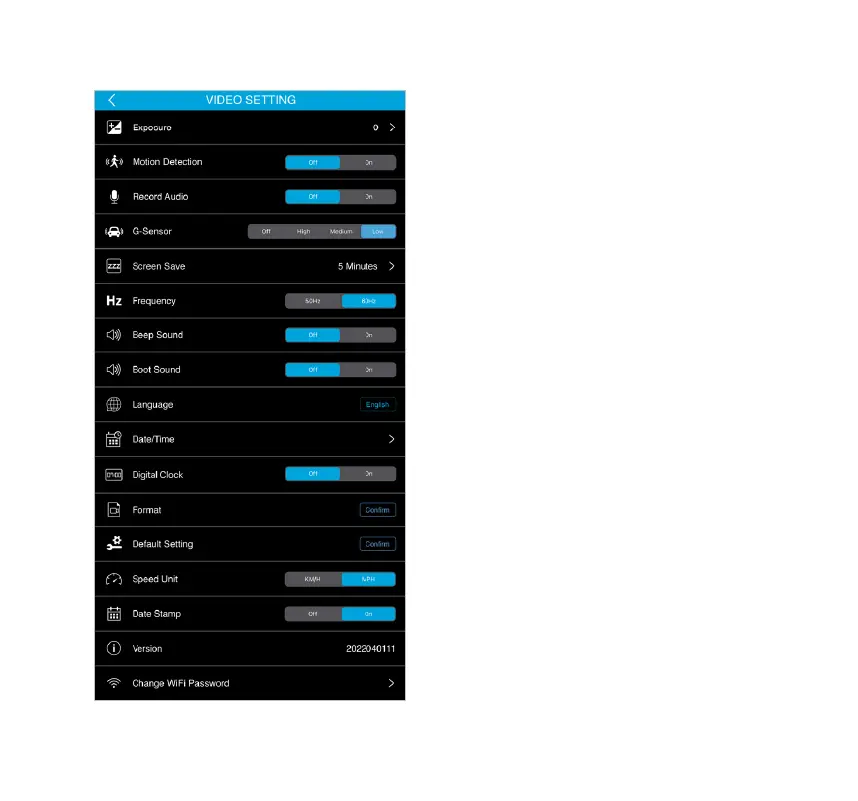
• Exposure - Adjust the overall brightness or
darkness during recording.
• Motion Detection - Select to turn the motion
detection function On/O.
• Record Audio - Select to turn the record audio
function On/O.
• G-Sensor - Select the level of sensitivity for the
G-Sensor.
• Screen Save - Screen will dim to a digital clock
interface after the specied time is selected.
• Frequency - Adjust this setting to prevent the
ickering of lights by selecting the frequency
according to your local regulations.
• Beep Sound - Turn the Beep Sound On/O.
• Boot Sound - The camera will play a sound when
it is turned on and o
. Choose this option to turn
On/O the sound.
• Language - Default language is English.
• Date & Time - Set up the date and time of the
Dash Cam.
• Digital Clock - Turn the Digital Clock On/O.
• Format - Erase everything on the MicroSD card.
• Default Setting - Reset settings to their defaults.
• Speed Unit - Select your desired Speed Unit.
• Date Stamp - Turn the Date Stamp On/O.
• Version - Shows the Dash Cam's current rmware version.
• Change WiFi Password - Change the Dash Cam's
WiFi password.
Video Setting (Video Mode)



 To Next Page