14
15
WARNINGS
INSTRUCTIONS PERTAINING TO RISK OF FIRE, ELECTRIC SHOCK OR INJURY TO PERSONS
• Do not allow this product to become wet. Exposure to excessive moisture will damage the unit.
• Do not immerse the product in water.
• Do not operate the product in explosive atmospheres, such as in the presence of ammable liquid, gas or dust.
• Do not modify or disassemble this product.
• Do not store in locations where the temperature may exceed 104ºF (40ºC).
• Under extreme heat conditions, battery leakage may occur. Avoid contact with your skin. In case of skin or
eye contact, rinse immediately with clean water and seek medical attention.
• If battery leakage occurs, take it to your local battery recycling center for disposal. Do not attempt to use.
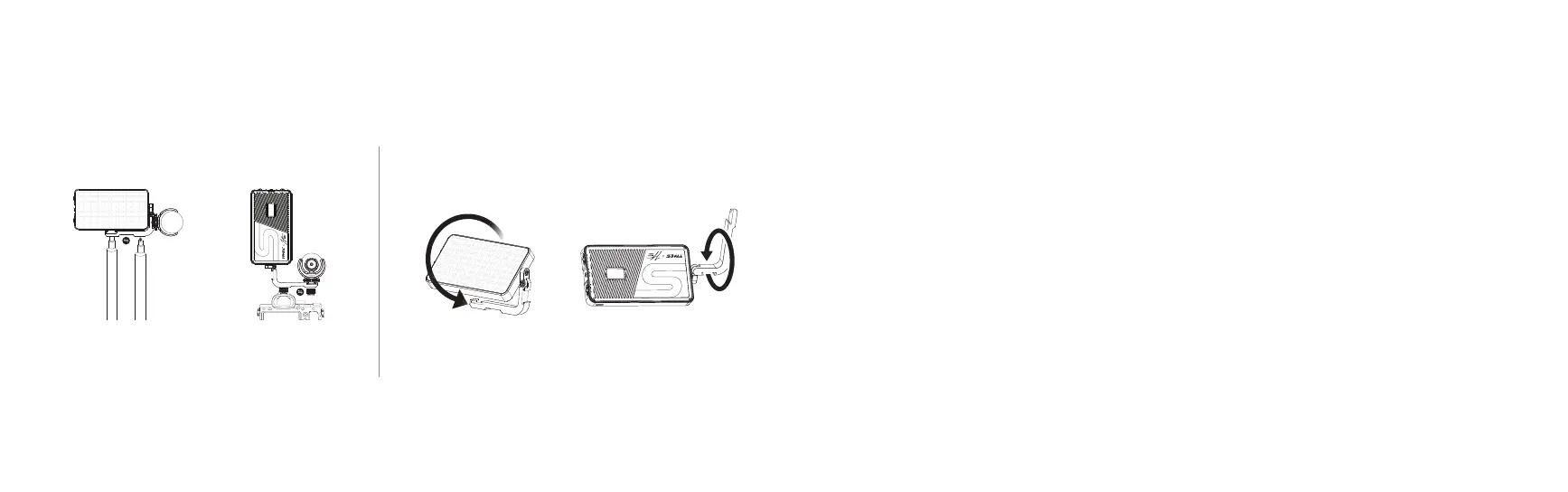
Bracket Rotation Adjustment
360
º
Install When Shooting
Vertically
360º RotationInstall When Shooting
Horizontally
This product does not include microphone, light stand or camera.NOTE:
360º Rotation
INSTALLATION
Cold Shoe Bracket Installation
360
º



 To Next Page