EasyManua.ls Logo

TYPHOON STRIKE GB11 - User Manual

TYPHOON STRIKE GB11
8 pages
Print Icon
To Next Page IconTo Next Page
Loading...
1
Compatible with:
Windows or later
R
XP
INSTRUCTION MANUAL
4-IN-1 GAMING BUNDLE
MODEL: STRIKE GB11
比例
Question and Answer IconNeed help?

Do you have a question about the TYPHOON STRIKE GB11 and is the answer not in the manual?

Summary

Product Overview

Keyboard Features

Details the functional aspects and components of the gaming keyboard.

Mouse Pad Details

Provides specifications and dimensions for the included mouse pad.

Headset Features

Describes the design, comfort, and audio components of the gaming headset.

Mouse Features

Outlines the ergonomic design, buttons, and DPI adjustment of the gaming mouse.

How To Use Your Gaming Bundle

Keyboard Setup and Usage

Instructions for connecting the keyboard, adjusting backlight, and using multimedia keys.

Mouse Pad Care

Recommended method for cleaning and maintaining the mouse pad.

Headset Setup and Connectivity

Guidance on plugging in the headset and using the 2-in-1 adapter.

Mouse Setup and Operation

Steps for connecting the mouse, adjusting DPI, and changing lighting modes.

Technical Specifications

Keyboard Technical Specs

Detailed specifications for the mechanical keyboard, including switch type and dimensions.

Mouse Pad Technical Specs

Technical details for the mouse pad, including material and dimensions.

Headset Technical Specs

Detailed specifications for the headset, including speaker size and impedance.

Mouse Technical Specs

Technical details for the gaming mouse, including DPI, polling rate, and connectivity.

Product Warranty Information

Australian Warranty Details

Explains the warranty period, exclusions, and how to make a claim for Australian customers.

Overview

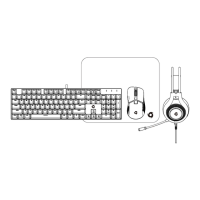
This document describes the QUDO Typhoon Strike GB11, a 4-in-1 gaming bundle designed for use with Windows XP or later. The bundle includes a mechanical gaming keyboard, a gaming mouse, a gaming headset, and a mouse pad.

Keyboard

The keyboard is a mechanical gaming keyboard featuring a US layout. It connects to your computer via a USB cable, and its lights will illuminate upon successful connection.

Usage Features: The keyboard offers a variety of functions accessible through key combinations.

  • Multimedia Keys: Functions like Media, Volume Up/Down, Mute, Play/Pause, Next Track, Email, Web, Stop, Lock keys, and Calculator are available using the Fn key in combination with F1-F12.
  • Backlight Adjustment: The keyboard has 12 different light modes. You can adjust the backlight brightness using Fn + (↑↓) in fixed light mode. For applicable light modes, the backlight speed can be adjusted to 3 levels using Fn + (←→).
  • Backlight On/Off: To turn off the backlight, use Fn + SCRLK.
  • Default Mode: To return to the default mode, press Fn + ESC.
  • Anti-Ghosting: The keyboard features 25-key anti-ghosting, ensuring that multiple simultaneous key presses are registered accurately during intense gaming sessions.

Mouse

The gaming mouse is a 7D RGB gaming mouse that connects to your computer via a USB cable. Its lights will illuminate upon successful connection.

Usage Features:

  • DPI Adjustment: The mouse allows you to adjust its DPI settings. Pressing the DPI switch key will cycle through different DPI levels.
  • Side Light Control: To turn the side light on or off, press the DPI switch for 3 seconds.
  • Light Mode Switching: The mouse has 13 different light modes. Pressing the light switch key for 1 second will cycle through these modes.
  • Buttons: The mouse features a left button, right button, scroll wheel, forward button, and backward button, providing comprehensive control for gaming and general use.

Headset

The gaming headset features an ergonomic headband designed for long-lasting comfort. It connects to your computer using a 3.5mm audio cable for audio and microphone functions, while a USB cable powers the LED lighting.

Usage Features:

  • Adjustment: The headset includes an adjustment mechanism to ensure a comfortable fit.
  • Microphone: A microphone is integrated into the headset for communication.
  • RGB Light: The headset features RGB lighting, adding to the gaming aesthetic.
  • 2-in-1 Adaptor: The bundle includes a 2-in-1 adaptor to solve the problem of connecting the headset to computers that only have a single 3.5mm earphone jack. This adaptor allows the separate audio and microphone jacks to be combined into a single jack for compatibility.

Warning: To prevent possible hearing damage, it is advised not to listen at high volumes for long periods.

Mouse Pad

The mouse pad is designed to provide a smooth surface for the gaming mouse.

Maintenance Features:

  • Cleaning: It is recommended to clean the mouse pad with a damp cloth. A small amount of detergent can be added to the water. Before wiping, squeeze all excess water out of the cloth. After cleaning, wipe the mouse pad dry.

This gaming bundle provides a complete set of peripherals for an enhanced gaming experience, with customizable lighting, adjustable performance features, and comfortable design.

TYPHOON STRIKE GB11 Specifications

General IconGeneral
TypeGaming Mouse
Polling Rate125 Hz
ConnectionWired
PlatformPC
Vibration FeedbackNo
CompatibilityWindows
Analog SticksNo