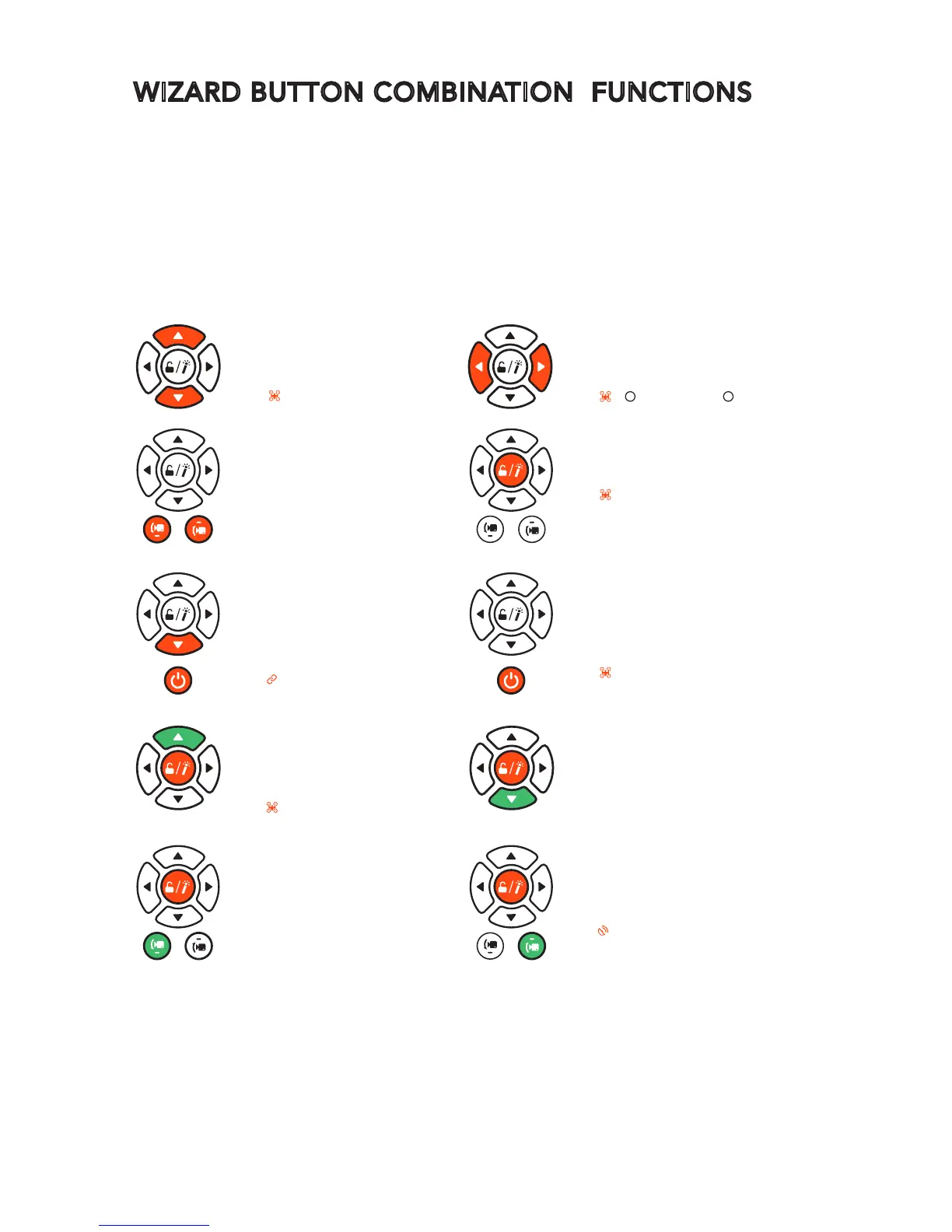
WIZARD BUTTON COMBINATION FUNCTIONS
Turn off/on altitude
follow function
-Short press
-Blink slowly: Turn off
PRESS
LED
Switch between Watch Me/
Follow Me function
-Short press
-Watch Me
Follow Me
*All vibrate once when any of the combination function is activated(
rthe Wizard will vibrate twice when turning on the altitude
follow function).
*For the last four functions, press the orange marked button
first, and then the green one. Release both buttons at the
same time after the function is activated.
•
•
Turn on Obstacle
Avoidance function
-
Turn off by default
-Short press
-Blink white and purple
PRESS
LED
Turn off Obstacle Avoidance
function
-Short press
Landing gear up/down
-Short press
Activate point-to-fly function
-Long press
-Solid blue
Take still photos
-Short press
Start/stop video record
(withthewizardGPSlocked)
-Short press
-Blink-record start
Activate compass
calibration
-Long press
*Turn off WIZARD before pres-
sing this combination buttons.
- Solid pink
Enter into binding mode
-Long press
*Turn off WIZARD before pressing
this button.
-Solid blue
PRESS
LED
PRESS
PRESS
LED
PRESS
LED
PRESS
LED
PRESS
PRESS
PRESS
LED



 To Next Page