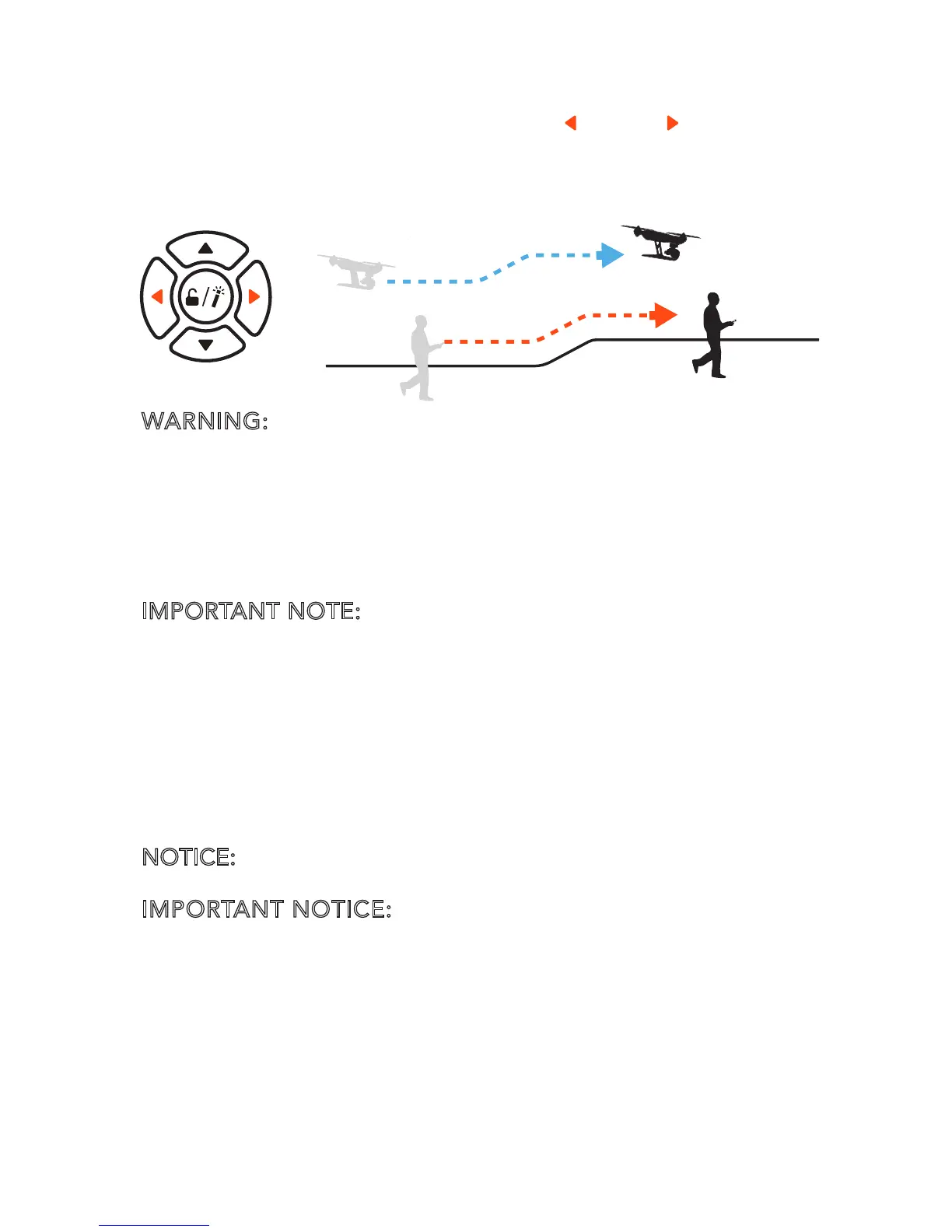
2) Follow Me Function Under Smart Mode
The Follow Me function allows the aircraft to follow the
pilot, adjusting its location to the location of the TYPHOON
Wizard™. All buttons are controllable in this mode. When in
Follow Me function, the aircraft will follow the movement of
the TYPHOON Wizard™ if there is no extra operation on the
TYPHOON Wizard™.
Follow Me function can be switched to by the following steps:
When in Watch Me Mode, press the [ ] and [ ] once at the
same time, it is "follow me" model if Aircraft Mode LED is
yellow and Wizard™ GPS LED is green
WARNING: When swimming or diving with the waterproof
carrying strap, to keep the stability of the aircraft, pilots MUST
press and hold the Ascend / Forward Button and the Descend
/ Backward Button at the same time to turn off the height
following function. The TYPHOON Wizard will vibrate once
and the Aircraft Mode LED will blink the current color.
Otherwise the aircraft may crash!
IMPORTANT NOTE:
Crash is NOT covered under warranty.
ANGLE MODE
When the Flight Mode Selection Switch is in the middle
position the aircraft will be in Angle Mode. The Aircraft
Mode LED will be solid purple.
In this mode, the aircraft will move in the direction the TYPHOON
Wizard™ is controlled relative to the front/nose of the aircraft.
The aircraft has no function of Follow Me or Watch Me.
NOTICE:
In this mode, the ‘Point To Fly’ Function can't be
activated.
IMPORTANT NOTICE: In the Angle mode, the aircraft is not
suggested travelling further than 656 ft (200 m). The Wizard
™ will keep vibrating when the aircraft travels further than
656 ft (200 m).



 To Next Page