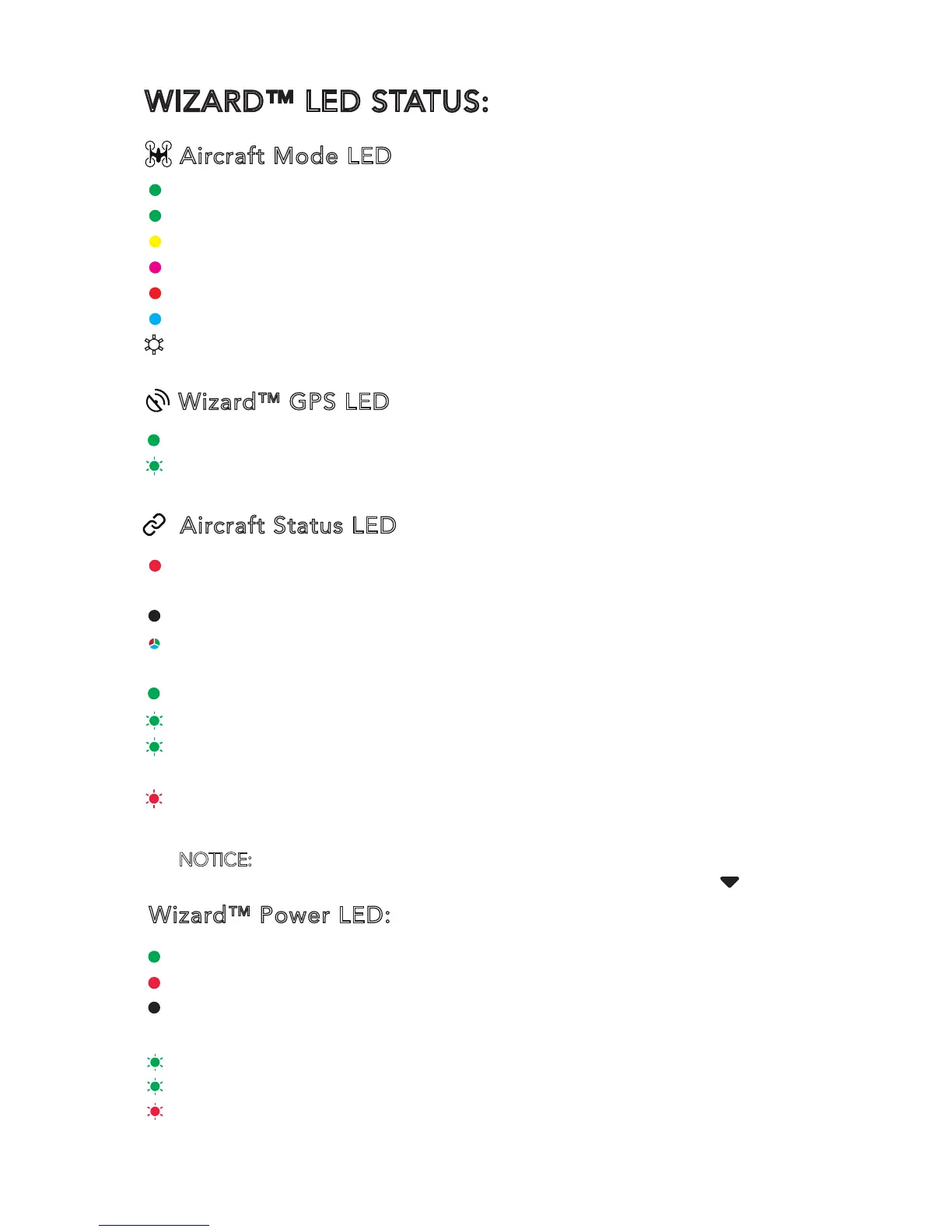
WIZARD™ LED STATUS:
Aircraft Mode LED
Wizard™ GPS LED
Aircraft Status LED
Wizard™ Power LED:
GPS Locked: LED solid green.
Recording video: LED blinking green once every second
(with the Wizard GPS locked)
The Communication Mal-function Between the Wizard™
and the Aircraft : LED solid red
GPS Loss of Aircraft: LED off
Aircraft in No-Fly Zone: LED blinking red, green and
blue alternately
Battery full:LED solid green
Battery 50%:LED blinking green twice every 2 seconds
Battery 25%:LED blinking green once every 2 seconds
Low Voltage Warning of the Aircraft:
LED blinking red quickly, the Wizard™ vibrating for 2
seconds once continuously
Powered On: LED solid green
During Charging: LED solid red
Charging Completed: Red LED off
Low Voltage Warning of the Wizard™:
Battery 50% --- LED blinking green twice every 2 seconds
Battery 25%--- LED blinking green once every 2 seconds
Power Cut-off---LED blinking red quickly, the Wizard™
vibrating for 2 seconds once continuously.
Smart Mode: LED solid green
Watch Me Function: LED solid green
Follow Me Function: LED solid yellow
Angle Mode: LED solid purple
Home Mode: LED solid red
‘Point To Fly’ Function Activated: LED solid blue
Obs. Avoidance On: LED blink white and purple
NOTICE: When using the Wizard, the landing speed of the aircraft will decrease.
The pilot can hold up the wizard and press and hold the [ ] button.



 To Next Page