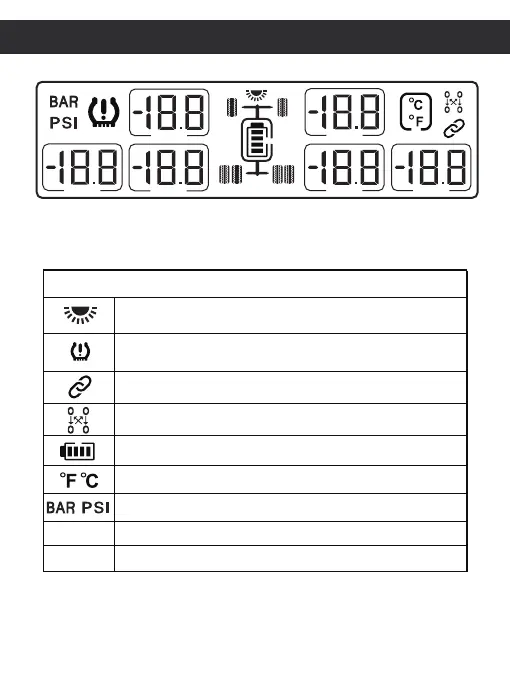
Icon and description
Matching sensor with monitor
Temperature unit(℃ or ℉)
Pressure unit(BAR or PSI)
Press and hold the - button for 3-6s to turn on.
Press and hold the - button for 3-6s to turn off.
Exchange tire location
Monitor battery display
Introduction(LCD display description)
02
Solar energy charging(Display while sunlight
exposure to solar panel )
Abnormal alarm(Alerts when tire pressure,
temperature,sensor battery is abnormal)
ON
OFF


 To Next Page