Tyro Pro EFTPOS machine user guide 3
Return to table of contents
1. Getting started
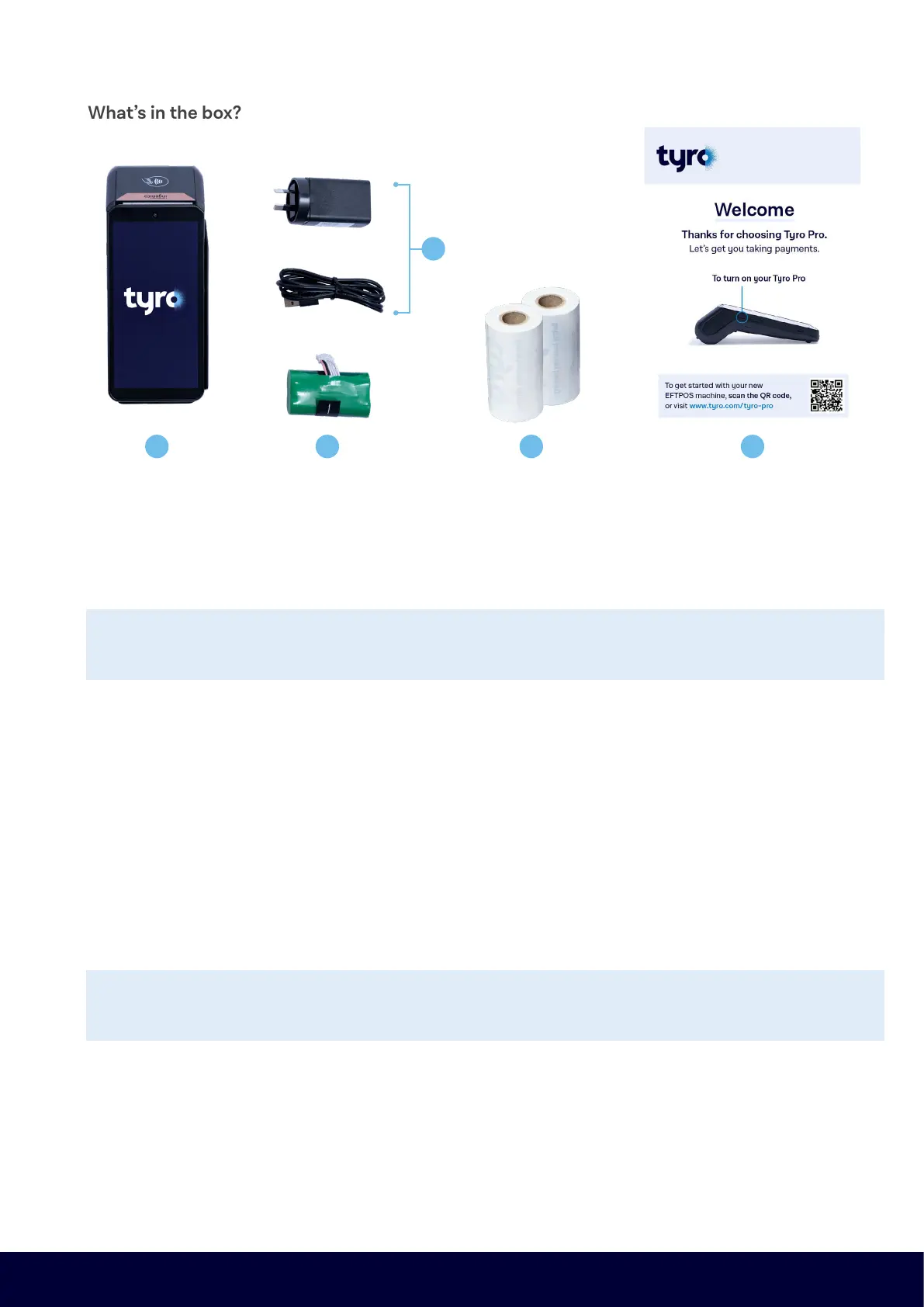
1.1 What’s in the box?
1. Your new Tyro Pro EFTPOS machine
2. Power adapter and cable
3. Long-life rechargeable battery
4. 2 paper rolls
5. Quick start flyer, with a link to your “Get set up guide”
If any of these items are missing, please contact our dedicated Pilot support team
on 02 8311 5884 between 8am and 8pm, Monday to Friday.
2. Handy information
• If you are new to Tyro, you have been emailed with your Merchant ID (MID)*. MID(s) are unique identifiers for
your account with Tyro. Existing customers can find their MID via the Tyro Portal. We suggest you note them
down somewhere safe for future reference.
• Note: You may have been assigned multiple MIDs, depending on the requirements of your business.
Examples include if you have more than one trading location or wish to settle different machines to
different bank accounts.
• We will ask you for your MID when you call our Customer Support line, and we will sometimes refer to your
MID(s) in communications and service updates.
*Please note, when calling Tyro for assistance with your EFTPOS machine, ID checks may be performed dependent on the nature of the enquiry.
It’s important you keep your contact details with Tyro updated, so we can make sure
you have the information you need to keep your EFTPOS machine running smoothly.
1 3 4 5
2


 To Next Page