6
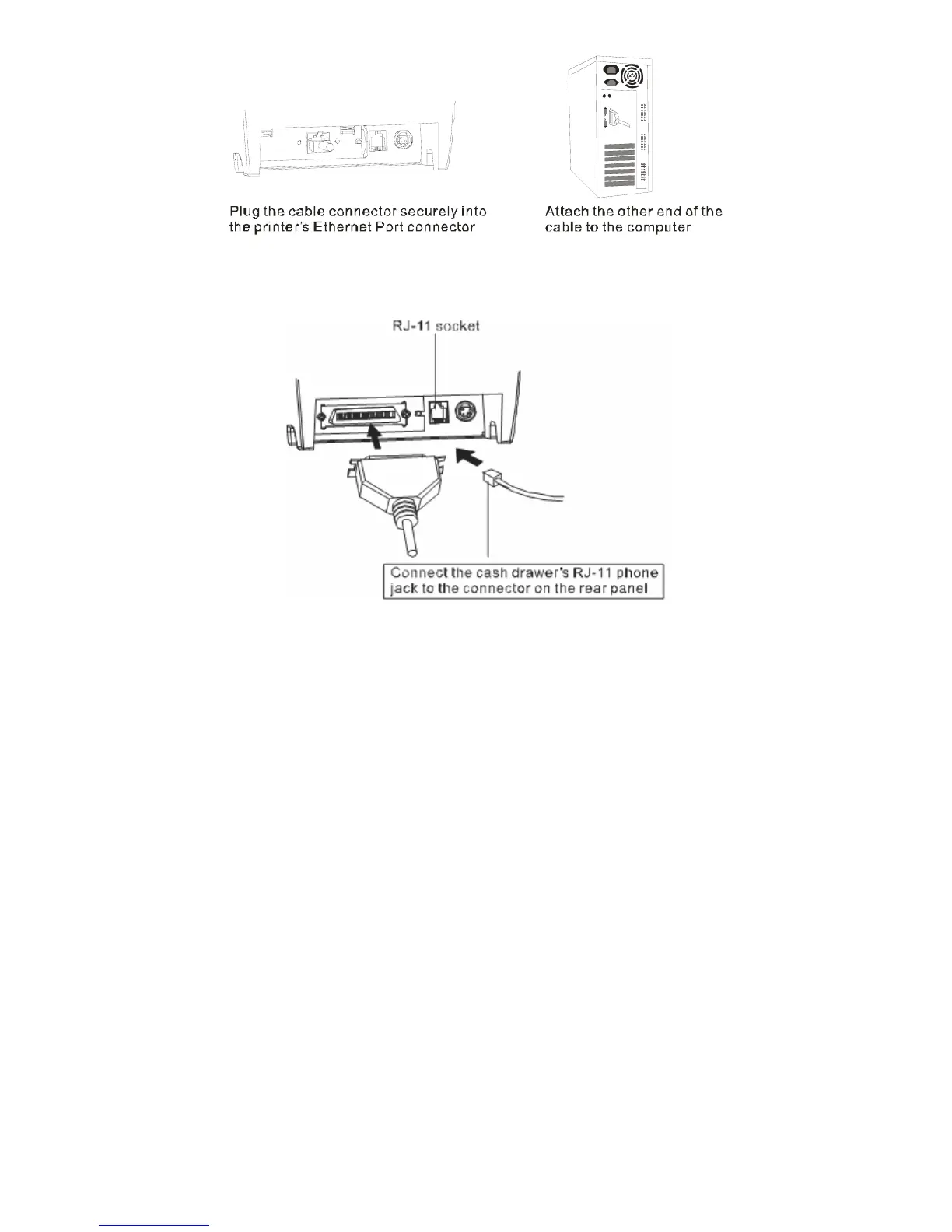
3.2) Connecting to a Cash Drawer
Important:
z Make sure that the printer is turned off and unplugged from the AC outlet and that the
computer is turned off before making connections.
z Do not connect a telephone line into the peripheral drive connector. Failure to observe this
may result in damage to the printer.
3.3) Connecting the AC Adapter
a. Connect the AC power cord to the inlet of AC adapter, and then connect the power cord plug
to a suitable electrical outlet.
b. Connect the adapter cable to power connector of printer; make sure the printer power switch
is OFF before making any connections.


 To Next Page