EasyManua.ls Logo

U-Line H-2932 - User Manual

U-Line H-2932
4 pages
Print Icon
To Next Page IconTo Next Page
Loading...
PAGE 1 OF 4 1215 IH-2932
π H-2932, H-4734
DIGITAL
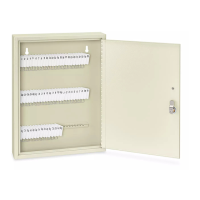
KEY CABINET
1-800-295-5510
uline.com
FEATURE KNOB
KEYPAD
BUTTONS
PROGRAM
BUTTON
GREEN AND
RED LEDS
YELLOW
LED
FUNCTION
Moves lock mechanism
90 or 180 degrees
clockwise or
counterclockwise
to lock and unlock
cabinet.
For entering and
programming lock
codes.
Initiate programming
mode by pressing the
front thin edge of the
black button inward
toward the mounting
surface the lock is
mounted to.
Will flash and
illuminate to indicate
operating conditions.
Will flash five times
after lock is operated
to signify the battery
level is low and should
be replaced.
OVERVIEW OF CONTROLS
INSTRUCTIONS
This lock can operate using 3 codes (Factory or Master
code, Supervisor code, and User code).
Factory Code – is the only code set
in the lock at this time. This code must
be reprogrammed to a 6 digit Master
Code. (See Page 2)
Supervisor and User Code – (3 to 6)
digits need to be programmed into
the lock by following the steps. All
codes are retained by the lock after
unlocking and if the battery is changed.
A Note on Codes – The numbers 6, 7, 8, and 9 can be
entered by pressing two keys simultaneously in order to
produce a sum.
For example 2 and 4 can be pressed simultaneously to
produce the number 6 (2 + 4 = 6).
NOTE: If the code was programmed using
2 + 4 as the 6 digit, the 2 + 4 must be used
when accessing the lock, because other
combinations that equal six such as 1 + 5 are
distinguished from 2 + 4.
5
5
5
6
5
5
50
5
49
2
5
28
5
27
3
4
5
2
1
ELECTRONIC LOCK
ELECTRONIC LOCK FEATURES
# DESCRIPTION
1 Knob
2 Keypad
3 Battery Holder With Cover
4 Program Button
5 Yellow Low Battery LED
6 Red Error LED
7 Green Proceed LED
1 3
4 5 6 7
2
ELECTRONIC LOCK FUNCTIONS
Factory/Master
Code
Supervisor Code
3-6 Digits
User Code
3-6 Digits

Other manuals for U-Line H-2932

Question and Answer IconNeed help?

Do you have a question about the U-Line H-2932 and is the answer not in the manual?

Summary

Overview of Controls

Electronic Lock Features and Functions

Lists and describes the electronic lock's features and operational functions.

Code Management Instructions

Details the process for managing Factory, Supervisor, and User codes, including notes on entry.

Programming the Lock

Program 6-Digit Master Code

Overwrites the default factory code with a new 6-digit master code.

Program Supervisor Code

Details the steps to program a supervisor code using the master code.

Program User Code

Explains how to program a user code using the supervisor code.

Erase User Code

Provides instructions to erase a user code using the supervisor code.

Lock Operation and Battery

Lock Operation Modes

Describes how to change the lock's operation mode from single user to locker mode.

Battery Replacement Procedure

Step-by-step guide on how to remove and replace the battery in the lock unit.

Overview

This document describes the Uline H-2932, H-4734 Digital Key Cabinet, providing an overview of its electronic lock, functions, programming, operation, and battery replacement.

Function Description

The Uline Digital Key Cabinet is a security device designed to store keys, featuring an electronic lock for controlled access. The lock operates using a knob to engage and disengage the locking mechanism, and a keypad for entering codes. It supports multiple user levels, including a Master code, Supervisor code, and User codes, allowing for flexible access management. The device provides visual feedback through LEDs (Green, Red, Yellow) to indicate various operating conditions, such as correct code entry, incorrect code entry, low battery, and programming status.

Important Technical Specifications

  • Codes: The lock supports three types of codes:
    • Factory/Master Code: A 6-digit code. The initial default Factory code is 531423, which must be overwritten with a new 6-digit Master code.
    • Supervisor Code: A 3-6 digit code.
    • User Code: A 3-6 digit code.
  • Keypad: Features buttons labeled with numbers and letters (abcde, fghijk, lmno, pqrstu, vwxyz). Numbers 6, 7, 8, and 9 can be entered by pressing two keys simultaneously (e.g., 2 and 4 for 6).
  • LED Indicators:
    • Yellow Low Battery LED: Flashes five times after lock operation to indicate low battery.
    • Red Error LED: Flashes to indicate incorrect code entry or programming errors.
    • Green Proceed LED: Lights up to indicate successful operations or correct code entry.
    • Green and Red LEDs: Flash to indicate specific programming states.
  • Battery: Requires a 3-Volt Lithium CR2032 battery.
  • Temporary Lockout: After five incorrect entries, the lock temporarily disables for 2 minutes, during which any entry attempts will result in three flashes of the red error light.

Usage Features

  • Locking/Unlocking:
    • To unlock: Enter a valid code. A "click" sound will be heard, the green LED will light up, and the knob can be turned to the unlocked position.
    • To re-lock: Turn the knob from the unlocked to the locked position. A "click" sound confirms the lock mechanism has operated, and the knob is locked.
  • Code Retention: All programmed codes are retained even after unlocking or battery changes.
  • Locker Mode: The device can be switched to "Locker Mode" from "Single User/Station Mode" by following a specific procedure involving battery removal, pressing the program key, and entering the Master code.
  • Programming Master Code:
    1. With the knob unlocked, press the program button 5 times until the green LED lights up.
    2. Enter the default 6-digit Factory code (531423).
    3. Enter the Factory code again.
    4. Enter the desired new 6-digit Master code.
    5. Enter the new Master code again to confirm.
  • Programming Supervisor Code:
    1. With the knob in either the unlocked or locked position, press the program button.
    2. Enter the Master code within 10 seconds.
    3. Enter a 3-6 digit Supervisor code.
    4. Press the program button again to finish.
  • Programming User Code:
    1. With the knob in either the unlocked or locked position, press the program button twice.
    2. Enter the Supervisor code within 10 seconds.
    3. Enter a 3-6 digit User code.
    4. Press the program button again to finish.
  • Erasing User Code:
    1. Press the program button twice.
    2. Enter the Supervisor code.
    3. Enter "1-1-1-1-1".
    4. Press the program button.

Maintenance Features

  • Battery Replacement:
    1. Use the indent to pull the battery away from the unit.
    2. Ensure the battery is fully extended out.
    3. Swing the battery cover up.
    4. Using an Allen wrench, remove the retaining Allen screw.
    5. Pull out the battery holder.
    6. Replace the 3-Volt Lithium CR2032 battery.
    7. Push the battery holder back in.
    8. Tighten the retaining Allen screw.
    9. Swing the battery cover down.
  • Troubleshooting Battery Replacement: If the unit does not lock after inserting the battery, enter the factory code, move the knob to the unlocked position, then to the locked position. If it still does not lock, replace the battery. The lock mechanism should click when the battery is inserted, whether the knob is locked or unlocked (after turning to the locked position).

U-Line H-2932 Specifications

General IconGeneral
BrandU-Line
ModelH-2932
CategoryHome Safety Product
LanguageEnglish

Related product manuals