USER GUIDE
u-line.com
Cleaning
6. When 05 appears in the display, 3 soft tones will
sound, indicating the cleaning phase is complete
rotating turn counterclockwise.
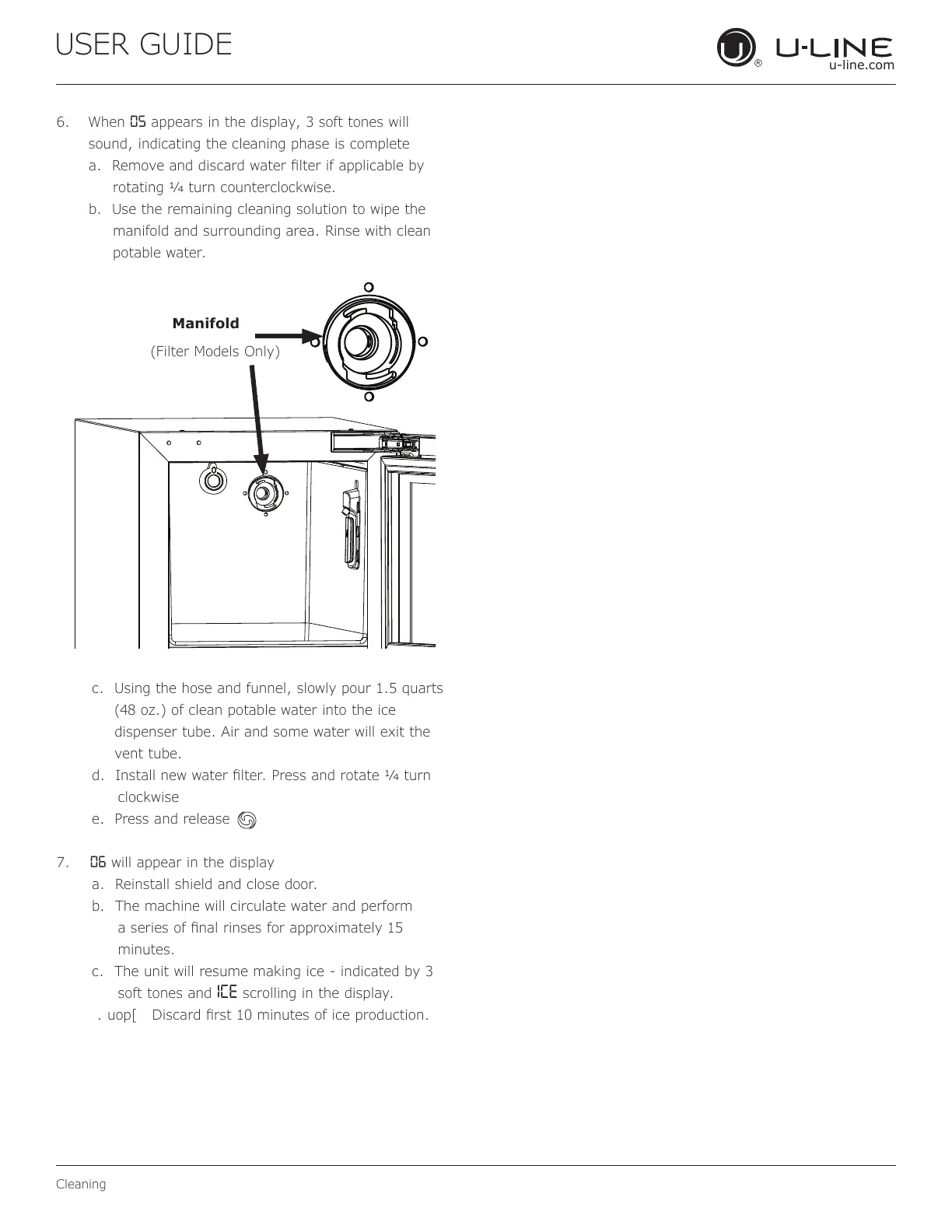
b. Use the remaining cleaning solution to wipe the
manifold and surrounding area. Rinse with clean
potable water.
c. Using the hose and funnel, slowly pour 1.5 quarts
dispenser tube. Air and some water will exit the
vent tube.
turn
clockwise
e. Press and release
7. 06 will appear in the display
a. Reinstall shield and close door.
b. The machine will circulate water and perform
minutes.
c. The unit will resume making ice - indicated by 3
soft tones and ICE scrolling in the display.
Manifold
24


 To Next Page
 Loading...