AeroCut X / XPro SERVICE MANUAL
5
(b) Barcode reader
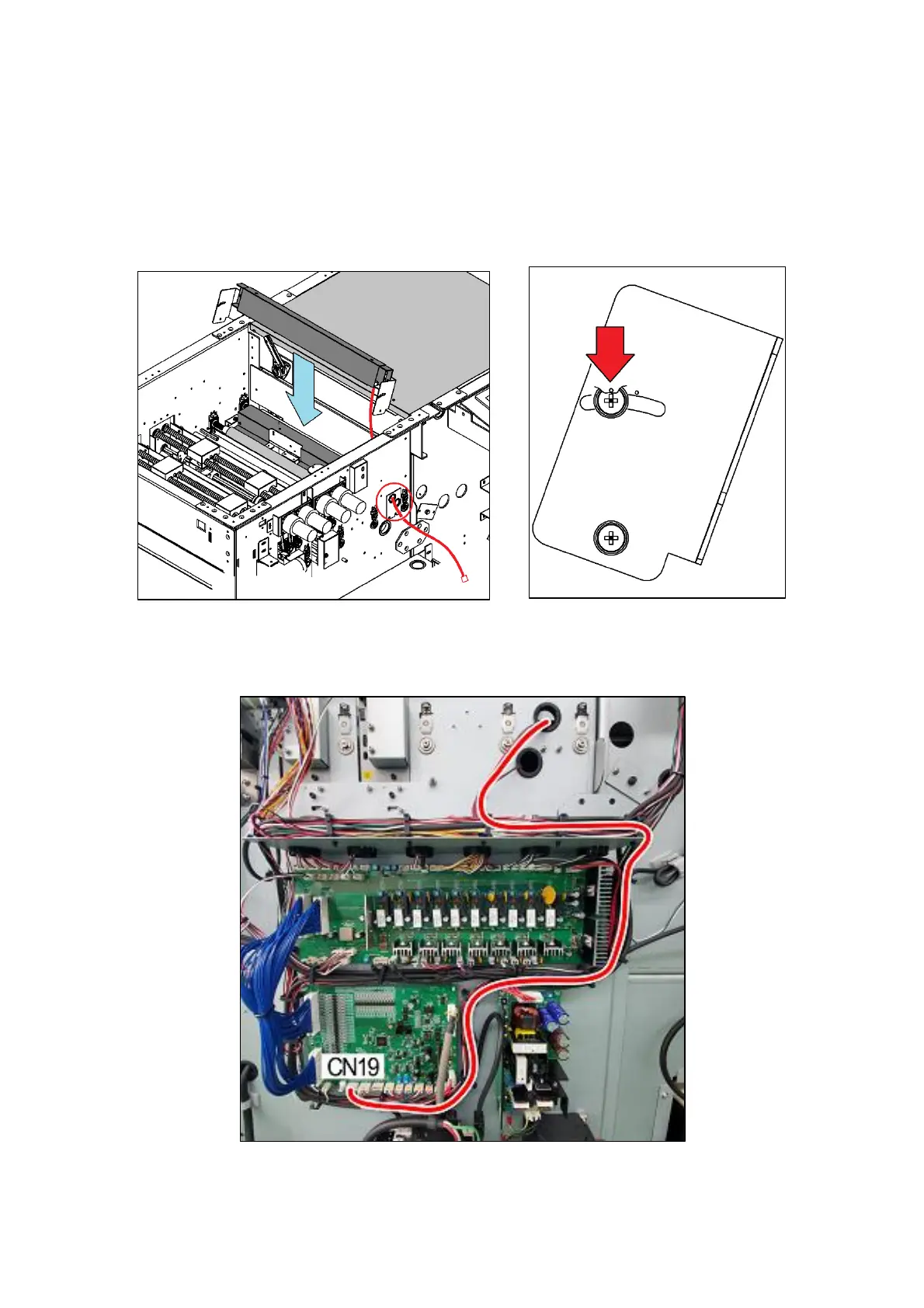
① Attach the Barcode Reading Kit to the machine.
② Fix the Barcode Reading Kit so that a hole on left side will be placed
towards the top.
③ Position should be as below picture.
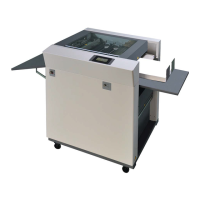
④ Connect the cables according to the red line as shown on below picture.
⑤ The Barcode Reading Kit should be connected to CN19 on the CPU board.


 To Next Page