Need help?
Do you have a question about the Uclan Denys H.265 Premium and is the answer not in the manual?
General safety, power supply, antenna, and TV connection precautions to prevent shock or damage.
Precautions regarding liquids, cleaning, ventilation, foreign objects, location, and lightning.
Guidelines for qualified service personnel and warnings against unauthorized repairs.
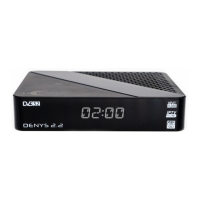
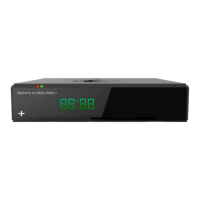
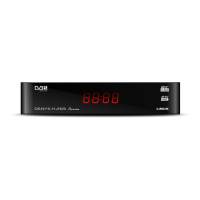
Details on the front panel display, status indicator, and IR receiver.
Overview of rear/side panel connections including LNB IN, AV, SPDIF, HD OUT, ETHERNET, DC 12V, USB, and RECOVERY.
Visual guide to the buttons on the remote control with learning function.
Detailed explanation of each button's function on the remote control.
Instructions for connecting antenna using HDTV or RCA cables and initial setup.
Steps for language selection and antenna setup during the initial receiver startup.
How to edit the channel list after a search is completed.
Adjusting video resolution, screen format, and digital audio output.
Information about the default access password for the receiver.
Using the EPG button for TV guide information and display options.
Playing media files via USB or local network using SAMBA or DLNA.
Connecting to the internet via Ethernet or USB Wi-Fi/3G adapters.
Guidance on how to find and perform software updates for the receiver.
Details on frequency range, modulation, decoder format, and picture resolutions.
Specifications for audio outputs, USB ports, power adapter, and energy consumption.
Information on proper disposal of electronic equipment and environmental impact.
 General
| Ethernet | 10/100 Mbps |
|---|---|
| USB | 2 x USB 2.0 |
| Video Decoding | H.265/HEVC |
| Resolution | Up to 1080p |
| Connectivity | HDMI, AV, S/PDIF |
| Conditional Access | Card reader |
| Video Output | HDMI |
| Audio Decoding | MPEG, AAC |
| Wi-Fi | Via USB Wi-Fi dongle (optional) |
| Supported File Formats | MKV, AVI, MP4, TS, VOB, MPEG, MP3, JPEG |
| Power Supply | 12V DC |
| CPU | Dual-core 2000 DMIPS |

 To Next Page