EasyManua.ls Logo

UDI R/C Discovery2 - User Manual

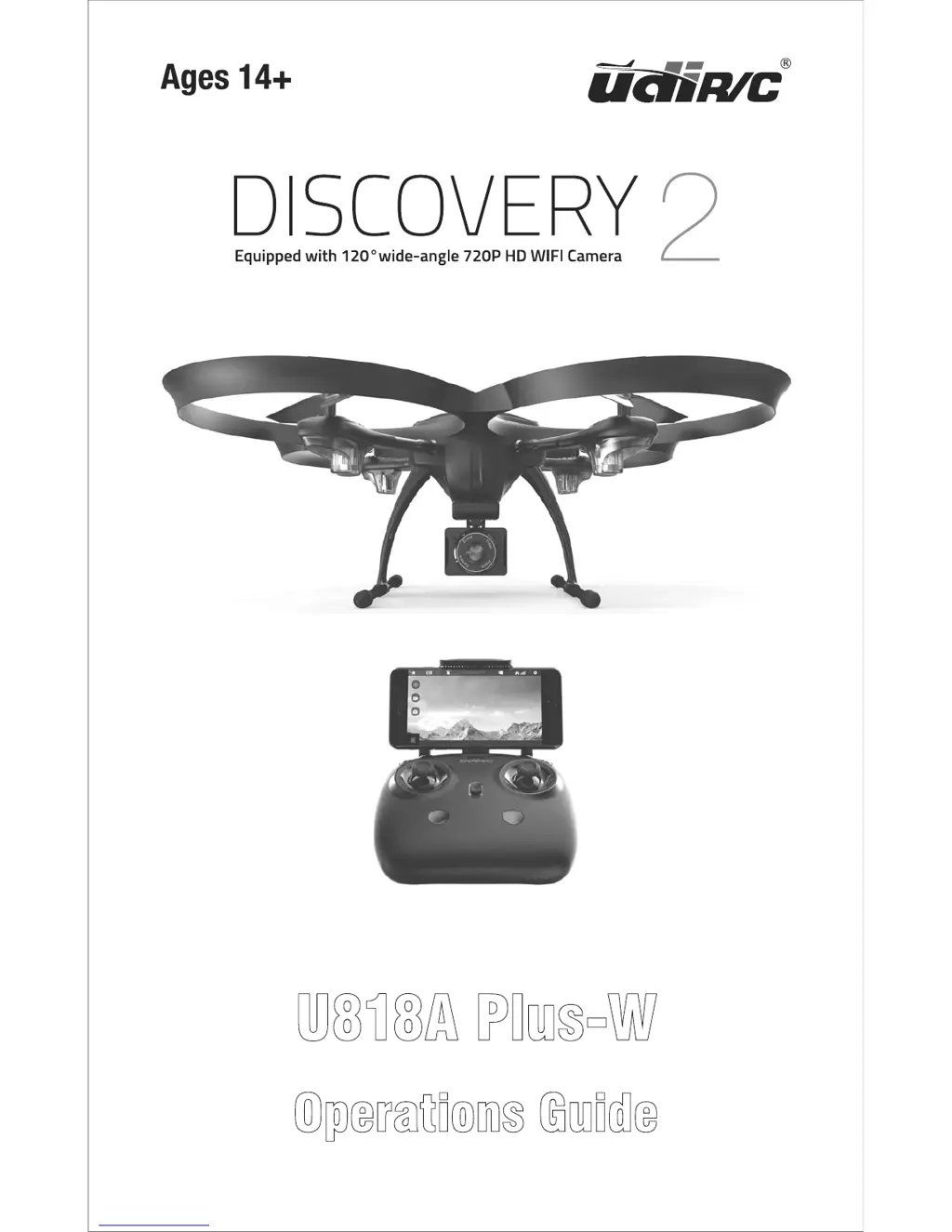
UDI R/C Discovery2
28 pages
Print Icon
To Next Page IconTo Next Page
Loading...
Operations Guide
U818A Plus-W

Questions and Answers

  • T
    Travis LongAug 13, 2025
    What to do if the UDI R/C Drones indicator light is off?
    • J
      Jeffrey SandovalAug 13, 2025
      If the indicator light on your UDI R/C Drone is off, the cause might be a low battery (recharge the drone battery), an expired battery or over discharge protection (buy a new battery from local seller), or poor contact (disconnect the battery and then connect it with the plug again).
  • C
    Christopher MccormickAug 16, 2025
    Why is my UDI R/C Drones under-powered or not flying?
    • J
      Jesus LucasAug 16, 2025
      If your UDI R/C Drone is under-powered or unable to fly, it could be due to several reasons: a seriously deformed propeller (replace the propeller), a low battery (recharge the drone battery), or incorrect installation of the propeller (install the propeller according to the user manual).
  • C
    Corey AguilarAug 20, 2025
    How to fix fail to pair UDI R/C Discovery2 with transmitter?
    • K
      Kelly ButlerAug 20, 2025
      If you're having trouble pairing your UDI R/C Drone with the transmitter, consider these potential causes: the indicator light might be off (refer to solutions for when the indicator light is off), there could be interfering signals nearby (restart the drone and power on the transmitter), there may have been a misoperation (operate the drone step by step according to the user manual), or the electronic component might be damaged due to frequent crashes (buy spare parts from local seller and replace damaged parts).
  • R
    rogerfisherAug 25, 2025
    Why UDI R/C Discovery2 could not hover and tilts to one side?
    • R
      robertsonsarahAug 25, 2025
      If your UDI R/C Drone can't hover and tilts to one side, it might be caused by a seriously deformed propeller (replace propeller), a deformed motor holder (replace the motor holder), the gyro not resetting after a violent crash (put the drone on flat ground for about 10s or restart the drone to calibrate again), or a damaged motor (replace motor).
  • A
    Andrew ChangAug 27, 2025
    Why is the transmitter indicator light off on my UDI R/C Drones?
    • D
      Donald MirandaAug 27, 2025
      If the transmitter indicator light is off on your UDI R/C Drone, it could be due to a low battery (replace the transmitter battery), the battery positive and negative poles being in reverse order (install the battery in accordance with the user manual), or poor contact (clean the dirt between the battery and the battery slice).
  • J
    Jessica HancockAug 31, 2025
    What to do if I could not see the picture from UDI R/C Discovery2 Drones?
    • M
      Mr. Michael OsbornAug 31, 2025
      If you can't see the picture from your UDI R/C Drone, it may be due to the wire of camera box not being connected or poor contact (check the wire and connect well), interfering signal nearby (cut off the wire and re-connect), or a damaged camera (buy a new camera box from local seller to replace).
  • D
    dana04Sep 4, 2025
    How to make it easier to control UDI R/C Discovery2 by cellphone?
    • M
      michellesuttonSep 4, 2025
      If it's hard to control your UDI R/C Drone by cellphone, the reason may be not enough experience. Practice and read the cellphone controlling instruction carefully.
  • M
    Ms. Natalie HaleSep 7, 2025
    Why am I seeing a double image when using VR with UDI R/C Discovery2?
    • J
      Joy LeonardSep 8, 2025
      If you're experiencing a double image when using VR with your UDI R/C Drone, the lens focal length is not correct. If there is double image, move the lens to the proper position till the image is clear.

Summary

Safety Precautions

Drone Battery Safety

LiPo Battery Handling

Comprehensive safety instructions for handling and charging LiPo batteries.

Drone Battery Charging

Pre-Flight Checklist

Essential Pre-Flight Checks

Lists essential checks before initiating flight operations.

Transmitter Controls

Transmitter Button Functions

Explains the purpose and operation of each button on the transmitter.

Transmitter Battery Setup

Pre-Flight Operation Steps

Frequency Pairing Process

Procedure for establishing a connection between drone and transmitter.

Confirming Frequency Pairing

Steps to power on the drone and confirm successful frequency pairing.

Pre-Flight Readiness

Drone Orientation and Motor Check

Drone orientation and motor check.

Motor Activation and Locking

How to safely start and stop the drone's motors.

Drone Calibration

Calibration Procedure Steps

Steps to recalibrate the drone after a crash or imbalance.

Flight Control Basics

Drone Movement Controls

Explains how to control drone movement using the sticks.

Advanced Flight Functions

Take-off and Landing Modes

Details manual and automatic take-off and landing procedures.

Emergency Stop Functionality

How to use the emergency stop button and its consequences.

Altitude and Orientation Modes

Altitude Hold Mode Explained

Explains how the drone maintains a stable altitude.

Heading Hold Mode Explained

Explains how to use heading hold for easier orientation control.

Flight Alerts and Protections

Low Battery and Range Alarms

Informs about low battery warnings and their implications.

Mobile App Integration

App Download and Installation

Instructions for downloading and installing the 'Flyingsee' mobile app.

Wi-Fi Pairing with Drone

Guide to connect the mobile phone to the drone's WiFi.

App Interface Navigation

App Remote Control Settings

Managing Media and Camera

Capturing Photos and Videos

Instructions for taking photos and recording videos.

Component Installation Guide

Drone Part Replacement

Propeller Replacement Procedure

Guide on how to remove and install propellers.

Drone Assembly and Wiring

Troubleshooting Common Issues

UDI R/C Discovery2 Specifications

General IconGeneral
TypeQuadcopter
BrandUDI R/C
ModelDiscovery2
Skill LevelBeginner
Flight Time6-8 minutes
Battery3.7V 500mAh LiPo
Headless ModeYes
One Key ReturnYes
Altitude HoldYes
360° FlipYes
LED LightsYes

Related product manuals