EasyManua.ls Logo

UDI R/C U38S - User Manual

UDI R/C U38S
16 pages
Print Icon
To Next Page IconTo Next Page
Loading...
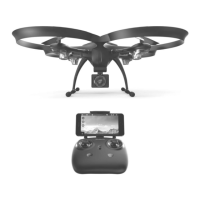
U38S
OPERATION GUIDE
Drone Battery Li-Po Battery Disposal & Recycling
Wasted Lithium-Polymer batteries must not be placed with household
trash. Please contact local environmental or waste agency or the
supplier of your model or your nearest Li-Po battery recycling center.
Important
Notice
Our company's products are improving all the time, design and
specifications are subject to change without notice. All the information in
this manual has been carefully checked to ensure accuracy, if any
printing errors, our company reserve the final interpretation right.
This product is suitable for users over 14 years old.
Stay away from the rotating propeller
Read the “important statement and safety guidelines”carefully.
This product supports GPS positioning and is recommended for outdoor flight!
This wifi camera pinpoint is 5G, please confirm whether the phone is supported.
Note

Questions and Answers

  • S
    steelenatashaAug 15, 2025
    Why is my UDI R/C Drone under-powered or not flying?
    • A
      Alexis JohnsonAug 15, 2025
      If your UDI R/C Drone is under-powered or unable to fly, it might be due to several reasons. First, check if the propeller is seriously deformed and replace it if necessary. Also, ensure that the drone battery is fully charged. Another possible cause is incorrect installation of the propeller, so refer to the user manual for proper installation. Lastly, the receiver board could be damaged, requiring replacement.
  • T
    thomasreedAug 18, 2025
    Why is the indicator light off on my UDI R/C Drone?
    • J
      Jennifer CainAug 18, 2025
      If the indicator light on your UDI R/C Drone is off, it could be due to a low battery. Try recharging the drone battery. Alternatively, the battery might be expired or experiencing over-discharge protection, in which case you should buy a new battery from a local seller or try charging the existing one. Lastly, check for poor contact between the battery and the drone; try disconnecting and reconnecting the battery.
  • L
    Lisa FowlerAug 22, 2025
    Why is the controller indicator light off on my UDI R/C Drone?
    • R
      Richard WebbAug 22, 2025
      If the indicator light on your UDI R/C controller is off, it might be due to a low battery. In this case, charge the controller battery. Another possibility is that the batteries are incorrectly installed; make sure to install them following the polarity indicators. Also, check for dirt between the battery and the battery contacts and clean it if necessary.
  • J
    John ColeAug 25, 2025
    What to do if my UDI R/C Drone cannot hover and tilts?
    • D
      Debra StevensAug 26, 2025
      If your UDI R/C Drone can't hover and tilts to one side, it might be due to improper calibration (refer to the Calibration instructions). Another cause could be a seriously damaged propeller, which you should replace. Also, check if the motor holder is deformed after a violent crash and replace it if needed. If the gyroscope didn't reset after a serious crash, put the drone on flat ground for about 10 minutes or restart the drone to calibrate again. Finally, the motor itself could be damaged, requiring replacement.
  • E
    Elizabeth GrantAug 28, 2025
    Why can’t my UDI R/C Drone position hold?
    • J
      Justin HarrisAug 28, 2025
      If your UDI R/C Drone can’t hold its position, it could be due to the GPS not being connected. Try searching again to connect to the GPS signal. Alternatively, the optical flow board might be damaged, and you should replace it with a new one.
  • M
    Michael VegaAug 31, 2025
    Why UDI R/C Drone can't find GPS signal?
    • J
      Justin WardSep 1, 2025
      If you're unable to find the GPS signal on your UDI R/C Drone, the GPS module might be damaged, requiring you to replace it with a new one. Additionally, check if the GPS module plug is loose and ensure it's connected normally.
  • K
    kellykeithSep 4, 2025
    Why my UDI R/C Drone can’t altitude hold?
    • S
      Sophia SchneiderSep 4, 2025
      If your UDI R/C Drone can’t hold altitude, it might be because the propeller is seriously damaged; in that case, replace the propeller. Also, consider that the atmospheric pressure might not be stable (refer to the “Altitude Hold Mode” instruction).
  • K
    Kathleen RobinsonSep 7, 2025
    Why can't I see the picture from my UDI R/C Drone?
    • J
      John MeyerSep 7, 2025
      If you cannot see the picture from your UDI R/C Drone, it could be due to an interfering signal nearby; practice and read the cellphone controlling instructions carefully. Another possibility is that the camera is damaged, requiring replacement.
  • N
    njacksonSep 12, 2025
    Why is my UDI R/C Drone hard to control by cellphone?
    • R
      richard96Sep 12, 2025
      If you find it hard to control your UDI R/C Drone with your cellphone, it might be due to lack of experience. Practice and carefully read the cellphone controlling instructions.

Summary

Pre-Flight Preparation

Battery Management

Instructions for charging and installing/removing the drone's battery.

Flight Operations

Mobile Phone Connectivity

Guide to downloading and connecting the UDIGPS-PRO app to the drone.

Transmitter Pairing

Steps for pairing the transmitter with the drone through frequency pairing.

Calibration Procedures

Compass and Gyroscope Calibration

Instructions for performing level, vertical compass, and gyroscope recalibration.

Flight Controls

Takeoff and Landing

Procedures for unlocking motors, ascending, descending, and landing the drone.

Control Stick Operations

Explains how the left and right joysticks control drone movement and altitude.

Advanced Flight Modes

Return to Home and Following

Activation of automatic return and follow-me modes, dependent on GPS and APP.

Specialized Flight Modes

Flight Performance Features

Intelligent Hover

Explanation of how GPS and visual systems enable stable hovering.

Low Battery Management

Covers low battery alarms and the automatic return-to-home function.

Protection Features

Troubleshooting

UDI R/C U38S Specifications

General IconGeneral
BrandUDI R/C
ModelU38S
CategoryDrones
LanguageEnglish

Related product manuals