07
1>-1
1>-2
1)
1)
2)
②
①
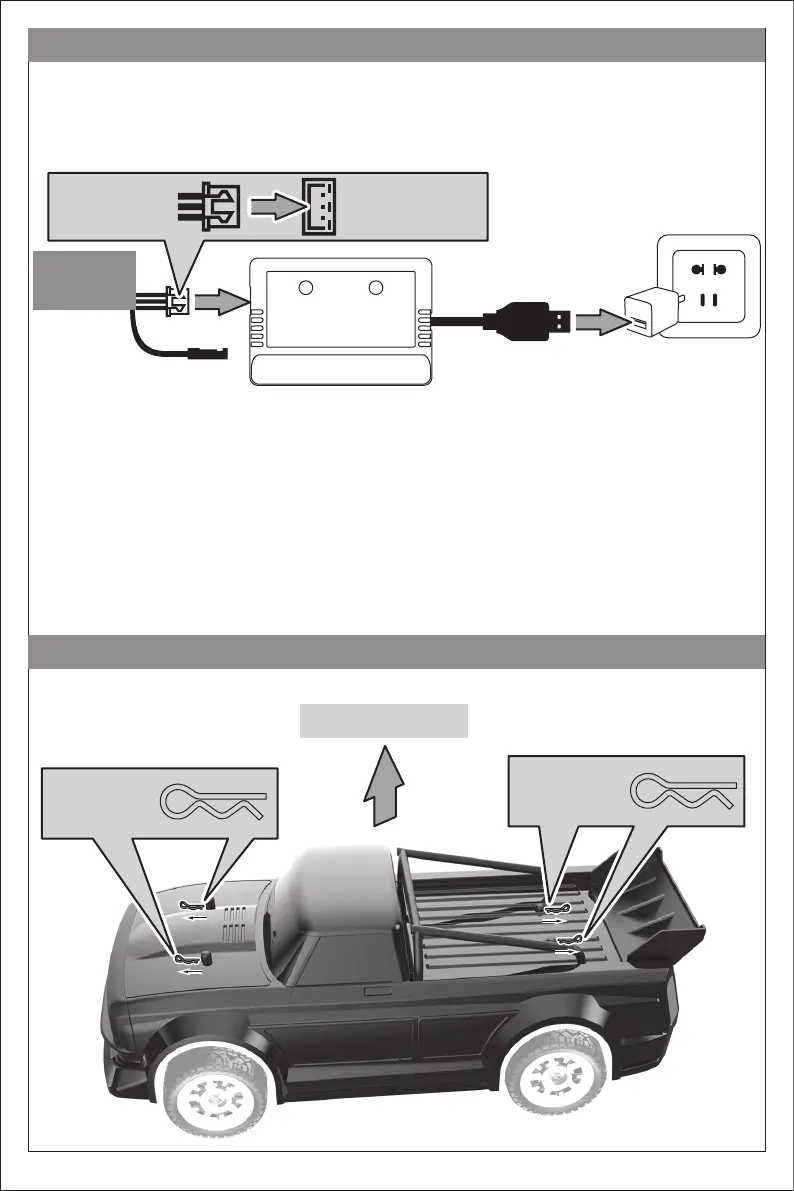
Battery charging
Remove the body
Remove the body
Pull out the
body clips
Pull out the
body clips
The battery contains less power when leaving the factory, so it must be charged and saturated before use.
Connect the attached charger with the model battery charging input port, and then connect other USB output ports. When
charging, the charging indicator is flashing, and the indicator is always on after charging. Do not put the battery in the
model when charging. The battery must be cooled before charging.
Battery input port
Li-ion Battery
Charger output port
Charging
Charger box
Power
USB adapter (not included)
▲Please use the charging box provided with the product and make sure it is connected properly.
Warning: someone must be watching while charging.


 To Next Page