EasyManua.ls Logo

UEi DT200 - User Manual

UEi DT200
6 pages
Print Icon
To Next Page IconTo Next Page
Loading...
1-800-547-5740 • Fax: (503) 643-6322
www.ueiautomotive.com • email: info@ueitest.com
DT200
INSTRUCTION MANUAL

Questions and Answers

  • J
    Jessica RomanAug 14, 2025
    How to fix a UEi Thermometer that won't turn on?
    • S
      Shannon BrockAug 14, 2025
      If your UEi Thermometer isn't turning on, the issue is likely related to the battery. First, try replacing the battery with a fresh one. If that doesn't work, make sure the battery clip grips the battery posts tightly to ensure a secure connection.
  • C
    Chelsea CopelandAug 17, 2025
    Why does the temperature reading on my UEi Thermometer drift from a known value?
    • S
      Sara PriceAug 17, 2025
      If the temperature reading on your UEi Thermometer drifts from a known value, several factors could be responsible. First, ensure the thermocouple type matches the displayed icon. Moisture, corrosion, or debris on the thermocouple can also cause inaccurate readings, so clean and dry the thermocouple blades and allow the plug to air dry. Finally, the thermocouple itself may be defective; confirm this with a known good thermocouple and replace it if necessary.
  • D
    Darrell GonzalezAug 21, 2025
    What to do if dashes appear on the UEi DT200 screen even with thermocouples inserted?
    • E
      Elizabeth LopezAug 21, 2025
      If you see dashes on the T1 and/or T2 data screens of your UEi Thermometer despite having thermocouples inserted, it could be due to thermocouple continuity or connection issues. Measure the resistance of the thermocouples to ensure they are not broken internally; replace them if needed. Also, check the thermocouple connections for corrosion or debris; clean them off and reinsert the thermocouples.
  • D
    Daisy TurnerAug 25, 2025
    Why does UEi DT200 Thermometer data keep updating when HOLD or RECORD are on?
    • E
      Elizabeth RogersAug 26, 2025
      If the data on your UEi Thermometer continues to update even when HOLD or RECORD is activated, it's likely that the Hold/Record button is not being fully pressed. These functions only affect the primary screen information. Observe the HOLD or REC icons on the LCD and press the button firmly to ensure proper engagement.
  • J
    Jessica MartinezAug 28, 2025
    Why do dashes appear when reviewing the maximum recorded value on my UEi Thermometer?
    • D
      Donna CampbellAug 28, 2025
      Dashes appearing during the review of the maximum recorded value on your UEi Thermometer suggests an open thermocouple. Check for an intermittent or momentarily removed thermocouple.
  • T
    Travis LamSep 1, 2025
    Why does my UEi DT200 turn off while recording?
    • S
      sheiladeleonSep 1, 2025
      If your UEi Thermometer turns off during recording, follow the procedures outlined in the operating instructions to disable the auto power off feature.
  • M
    Mrs. Erica AdamsSep 5, 2025
    Why won't the relative clock start on my UEi DT200 when I press the RECORD button?
    • A
      April OwensSep 5, 2025
      The relative clock on your UEi Thermometer will not start if thermocouples are not properly inserted. Ensure that thermocouples are inserted.
  • J
    josephpalmerSep 8, 2025
    Why do dashes appear in the T1 and T2 data screens of my UEi DT200 Thermometer?
    • S
      Sarah CurtisSep 9, 2025
      If dashes appear in the T1 and T2 data screens of your UEi Thermometer, it indicates that thermocouples are missing. Insert the missing thermocouples.

Summary

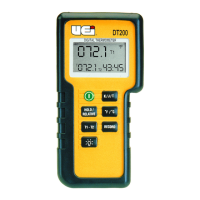
Controls and Indicators

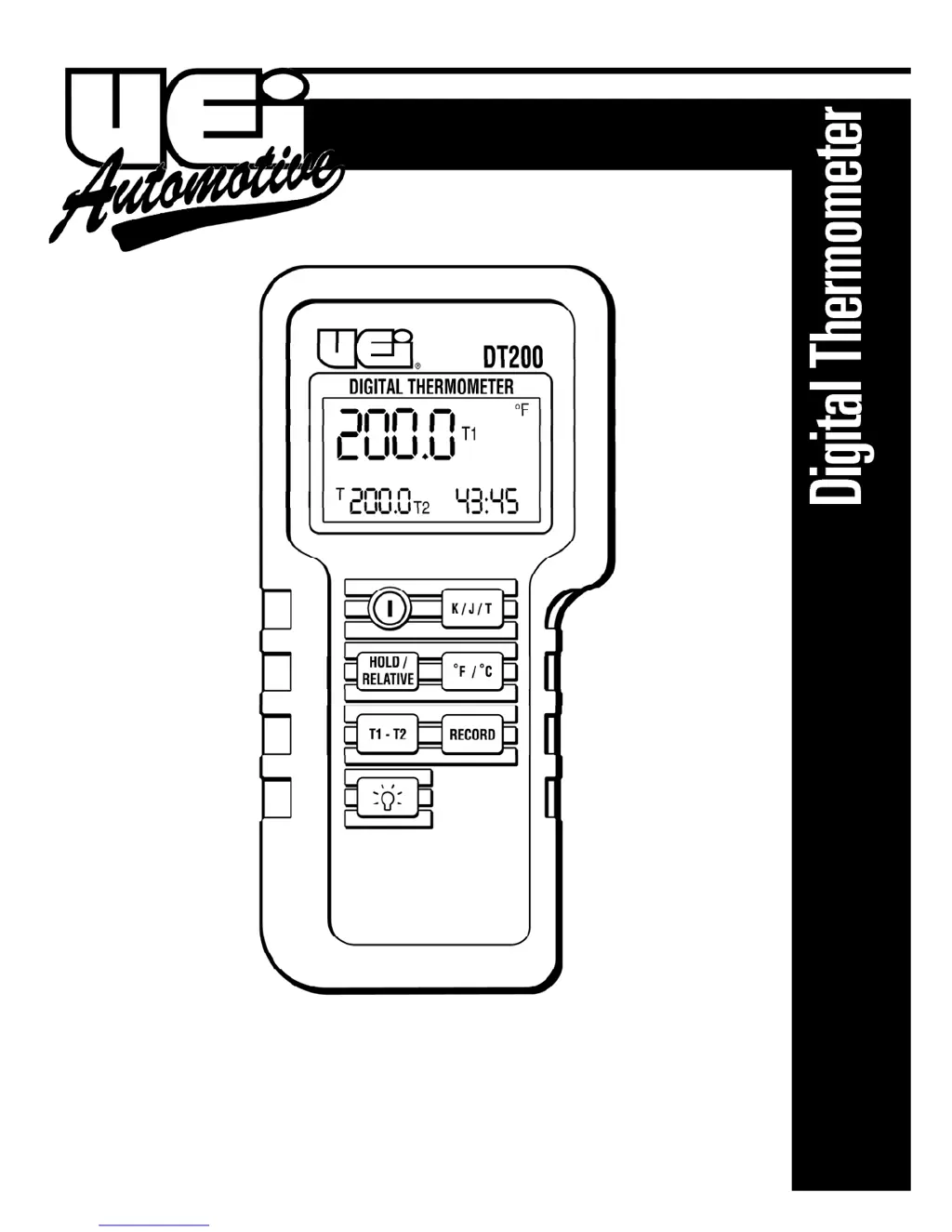
Power Switch

Powers the instrument on and off.

Hold;Relative Switch

Freezes primary screen data or establishes a relative zero.

T1-T2 Switch

Toggles display between T1, T2, and differential.

Back Light Switch

Turns the LCD back light on; automatically turns off.

Thermocouple Type Select

Selects input reference for thermocouple type (K, J, T).

Temperature Unit Select

Toggles display data between degrees Celsius and Fahrenheit.

Record Mode Switch

Starts record mode, displays max/min temperatures and time.

Thermocouple Ports

Positive/negative polarized plugs for probes (T1 left, T2 right).

LCD Display Areas

Displays three screens of function and data information.

Functional Description

Display Overview

Explains LCD segments, triple display areas, and viewing combinations.

Button Operations

Details functions of On/Off, Hold/Relative, T1-T2, Back Light, K/J/T, °F/°C, and Record buttons.

Auto Power Off

Mode Options

Operating Instructions

ACS1 Clamp Strap Adapter

Details adapter for attaching probes to pipes for temperature measurement.

Maintenance

Cleaning

Instructions for cleaning the instrument case and avoiding moisture.

Replacing the Battery

Steps and conditions for replacing the 9-volt battery.

Dispose of Batteries

Guidance on disposing of batteries according to local regulations.

Calibration

Recommends annual calibration by factory or qualified facility.

Troubleshooting

Instrument Not Turning On

Addresses issues when the instrument does not power on.

Data Screen Issues

Explains causes and fixes for dashes in data screens.

Temperature Measurement Errors

Covers issues with temperature drifting and thermocouple continuity.

Record Function Issues

Addresses problems with the record function not starting or data review.

Instrument Shutting Off

Explains how to defeat auto power off during recording.

Specifications

Operating Conditions

Specifies operating temperature and humidity range.

T1-T2 Measurement Accuracy

Details accuracy specifications for differential temperature measurements.

Ambient Coefficient

Explains how ambient temperature affects accuracy.

Table of Specifications

Measurement Range and Accuracy

Lists measurement ranges and accuracy for K, J, T thermocouples.

Resolution

Details the resolution for K, J, T thermocouples in Celsius and Fahrenheit.

Limited Warranty

UEi DT200 Specifications

General IconGeneral
BrandUEi
ModelDT200
CategoryThermometer
LanguageEnglish

Related product manuals