EN
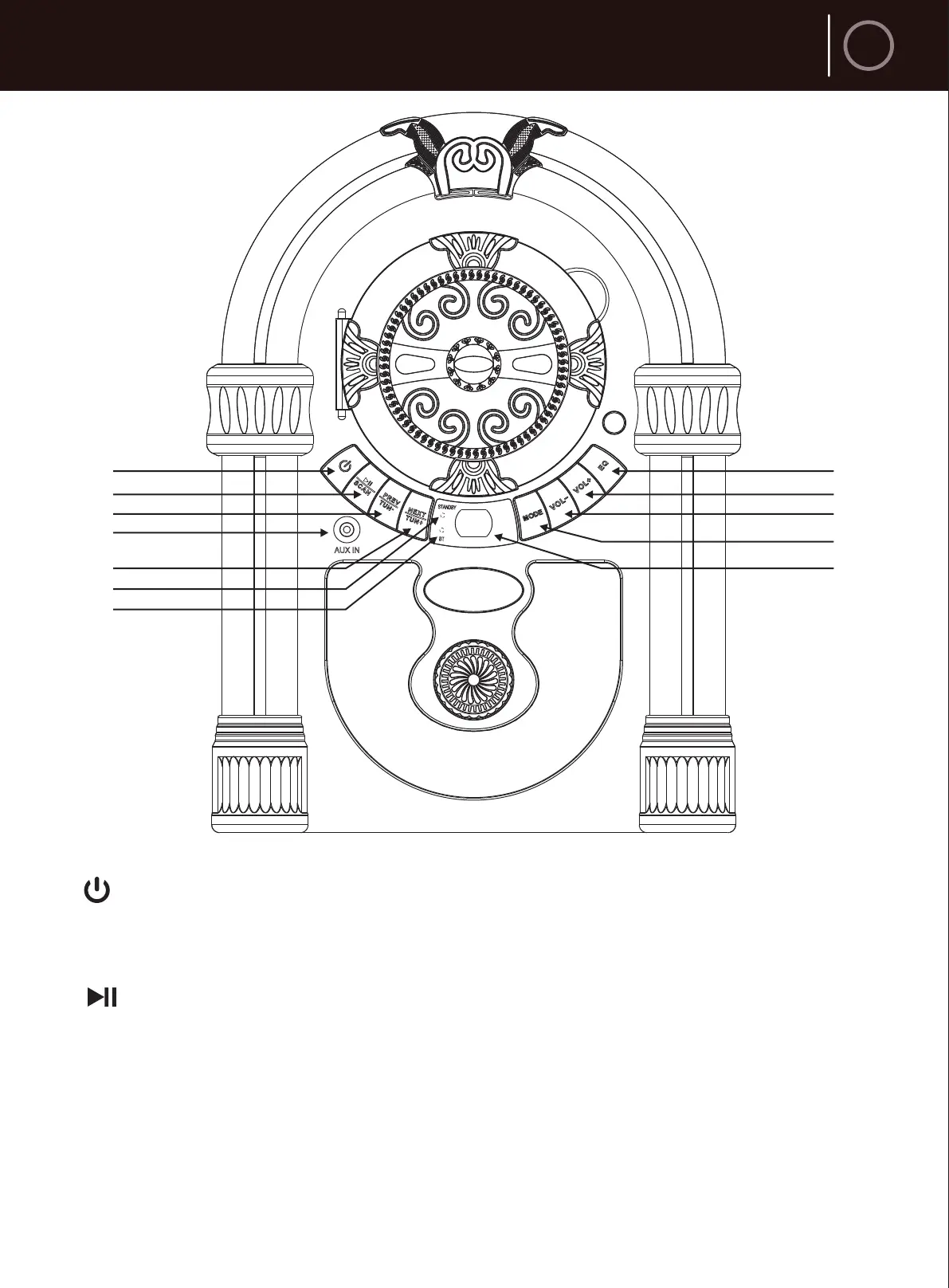
Layout
3
1
2
3
4
5
6
7
8
9
10
11
12
1. STANDBY Button
Press to turn the unit ON. / Press and hold to turn the unit OFF.
2. /SCAN Button
In Bluetooth mode, Quick press to play or pause playback, press and hold to
disconnect the Bluetooth connection.
In FM mode, quick press to switch between FM preset stations mode
(‘CH’ will flash on the digital display) and FM manually search mode
( ‘FREQ’ will flash on the digital display), press and hold to scan the station.



 To Next Page