EN
Basic Operation
5
Connecting Power
The JK-01 use a 9V 1.3A mains power lead (supplied). Plug the mains lead into
a suitable mains socket and connect the lead to the mains input on the back of
the jukebox.
Turning On/Off
Press the button to turn the unit ON.
Press and hold the button to turn the unit OFF.
Modes
The JK-01 has 3 function modes available: Radio, Bluetooth and AUX IN. You
can select the desired function by pressing the “MODE” button to cycle through
the 3 different functions available.
Please Note: The AUX IN is only available when you plug in an AUX cable
(not supplied).
Case Lights
To turn the lights On/Off simply press and hold the “MODE” button.
EQ Presets
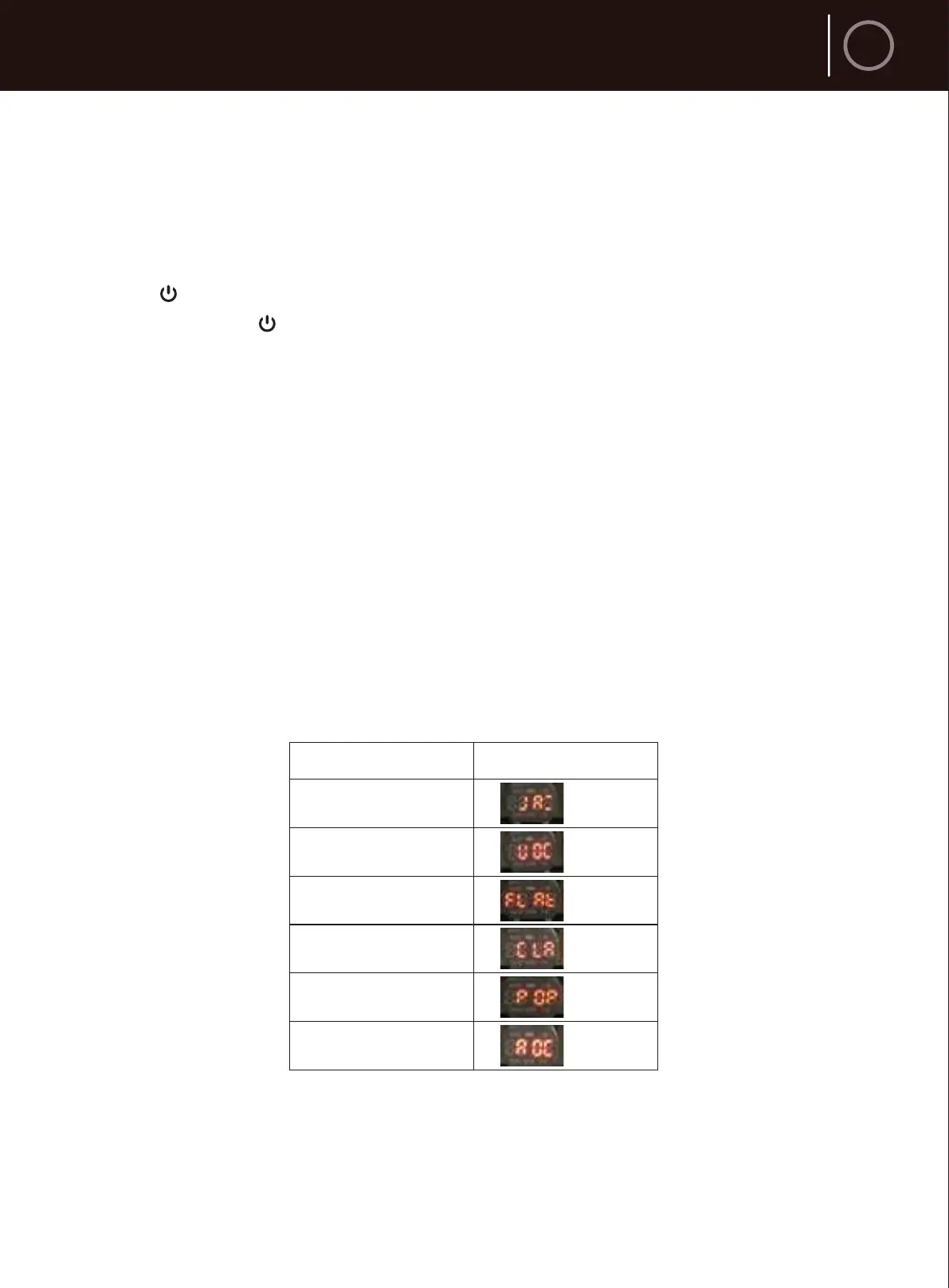
Quick press the EQ button to cycle through the equalizer presets: Jazz, Vocal,
Flat, Classic, Pop, Rock.
Volume Control
The unit’s volume is set in a small adjusting stepped range in 0-32. Quickly
press the VOL+ or VOL- buttons to adjust volume by one level, press and hold
to adjust volume continuously.
EQ presets
Jazz
Vocal
Flat
Classic
Pop
Rock
Digital Display



 To Next Page