Confidential / All product specifications are subject to change without notice.
iFi client can be WAN interface, and it is independent from WiFi AP mode.
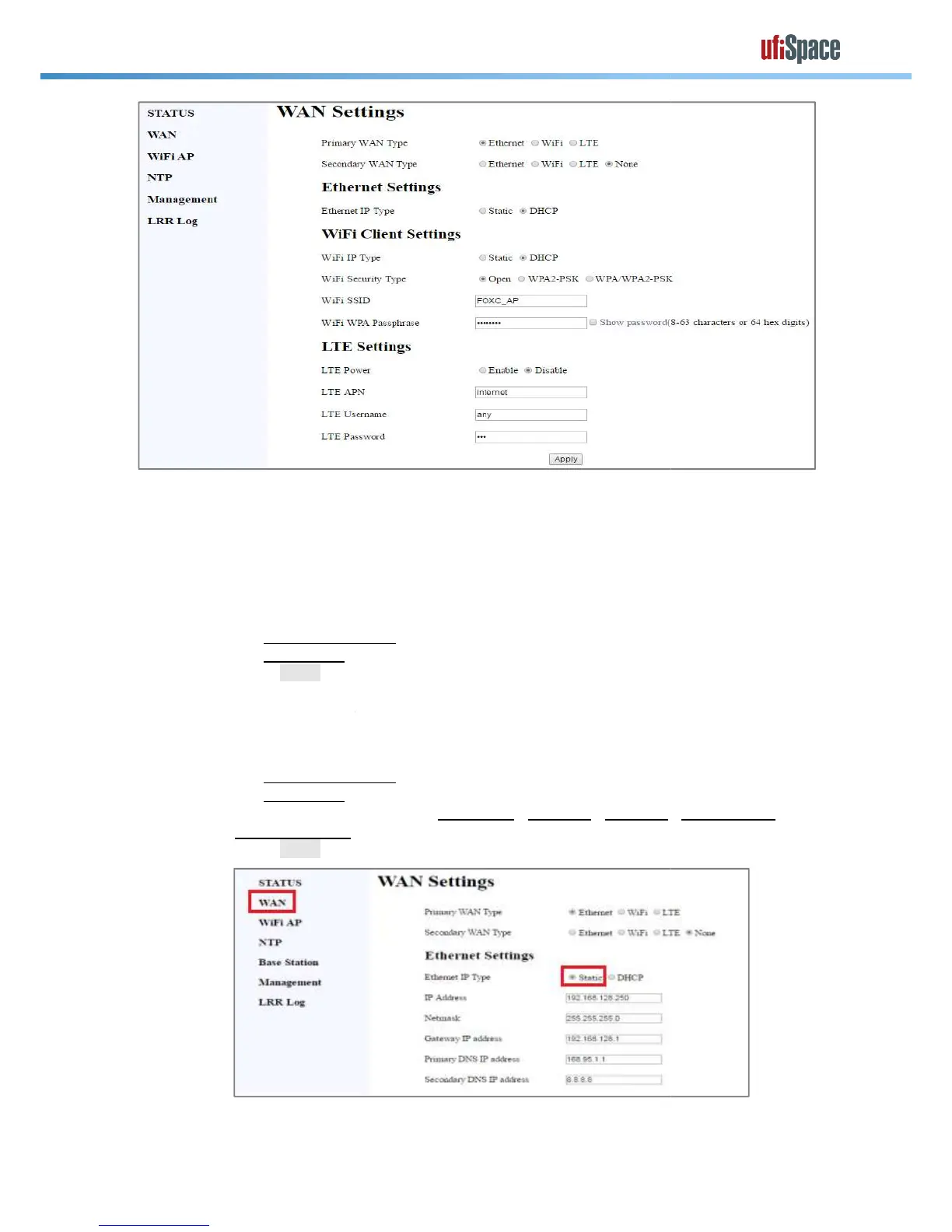
Use DHCP Mode to get IP address automatically
Secondary WAN will be used when Primary WAN is dead.
4.2.1.2 Use static IP Mode
Configure proper settings in
Confidential / All product specifications are subject to change without notice.
iFi client can be WAN interface, and it is independent from WiFi AP mode.
Use DHCP Mode to get IP address automatically
Ethernet Settings as “DHCP”
Secondary WAN will be used when Primary WAN is dead.
Ethernet Settings as “Static”
Configure proper settings in
IP address / Netmask / Gateway
iFi client can be WAN interface, and it is independent from WiFi AP mode.


 To Next Page
 Loading...