alignment tool can be used.
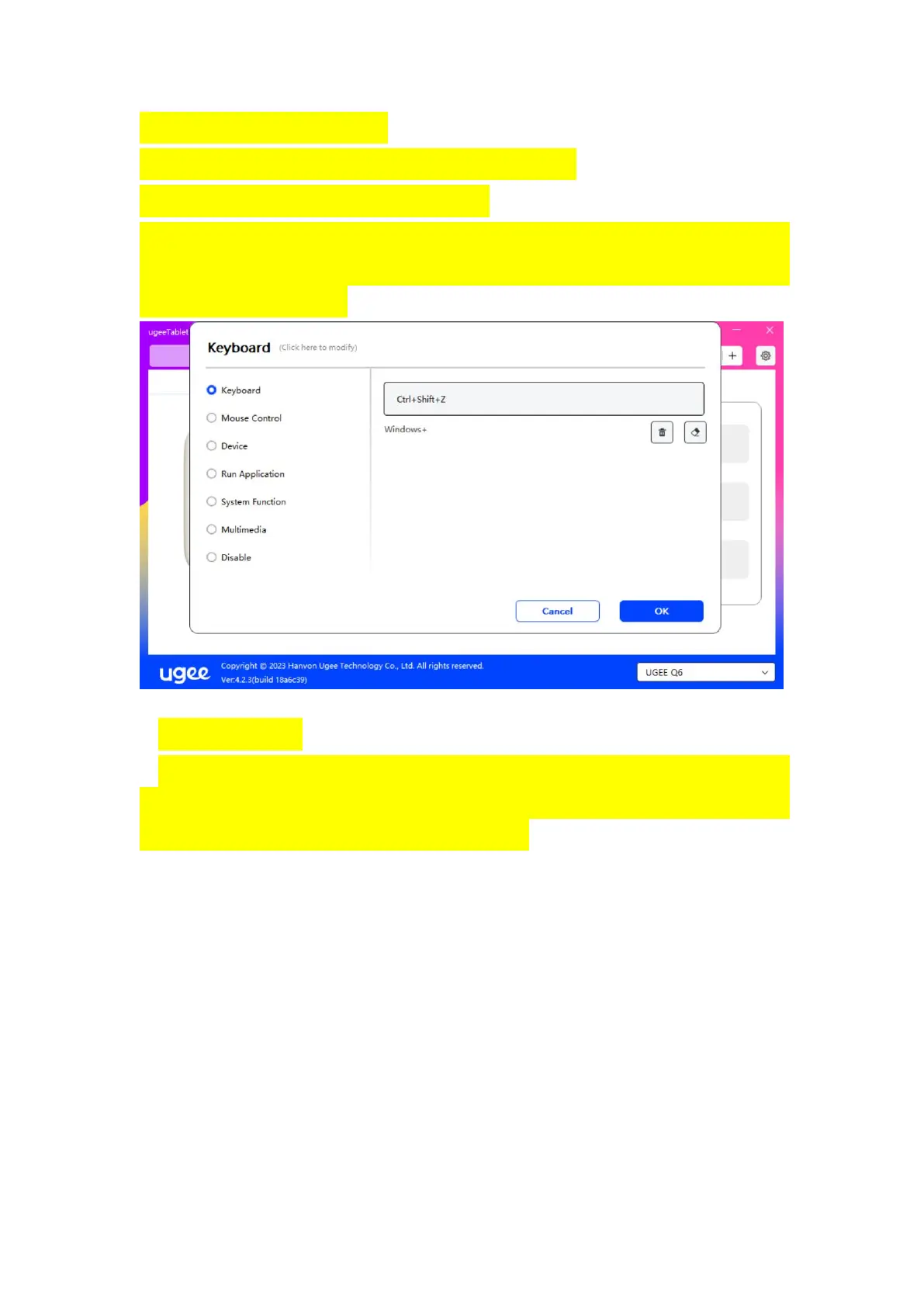
Clear: Clear all combination keys in the input box
Delete: Delete the last combination key
Windows+: Click and continue to enter other keys. For example, if you
need to set Windows+Shift+S , you can click Windows+ and then
manually press Shift+S.
Mouse Control:
Set mouse and keyboard combination key. For example, if you select
Shift and Left Click, you can execute the assigned shortcut command if
the software supports this combination key.



 To Next Page