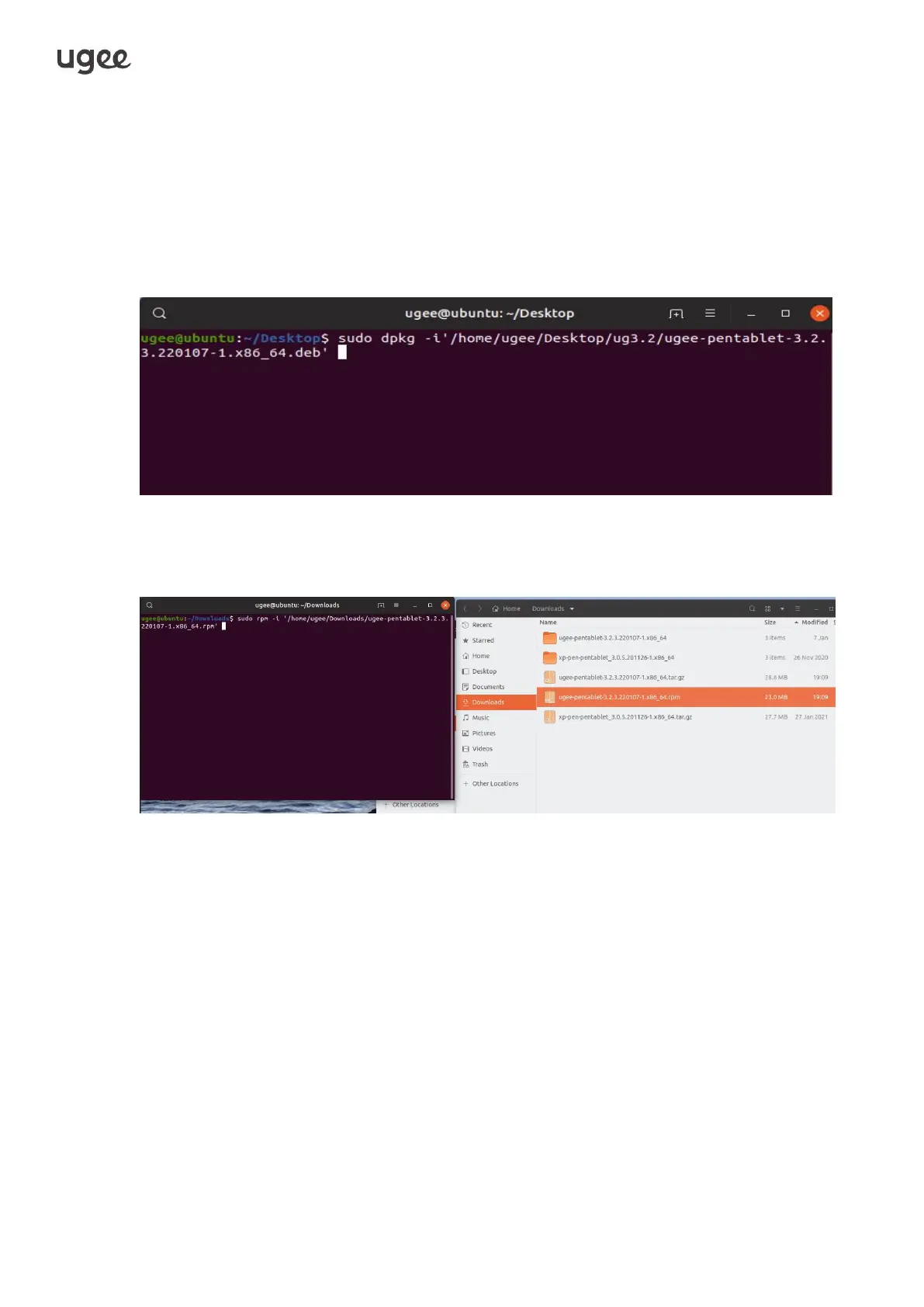
2.2.3 Linux
Deb: Enter command sudo dpkg -i. Drag installation file to window
and execute command.
Rpm: Enter command sudo rpm -i. Drag installation file to the window and execute
command.
Tag.gz: Unzip file. Enter command sudo. Drag install.sh to the window
and execute command.
2.3 Driver Usage
Tips : Android phones/tablets, and Chromebooks are all in drive free mode.
2.3.1
Connect to Device
The driver will run automatically after being installed. If it does not run
automatically, go to the driver folder to run it manually.
Windows program path: Start→ugeeTablet



 To Next Page