5
b. Device Connected (Figure 2).
2.2.2 Work Area Settings
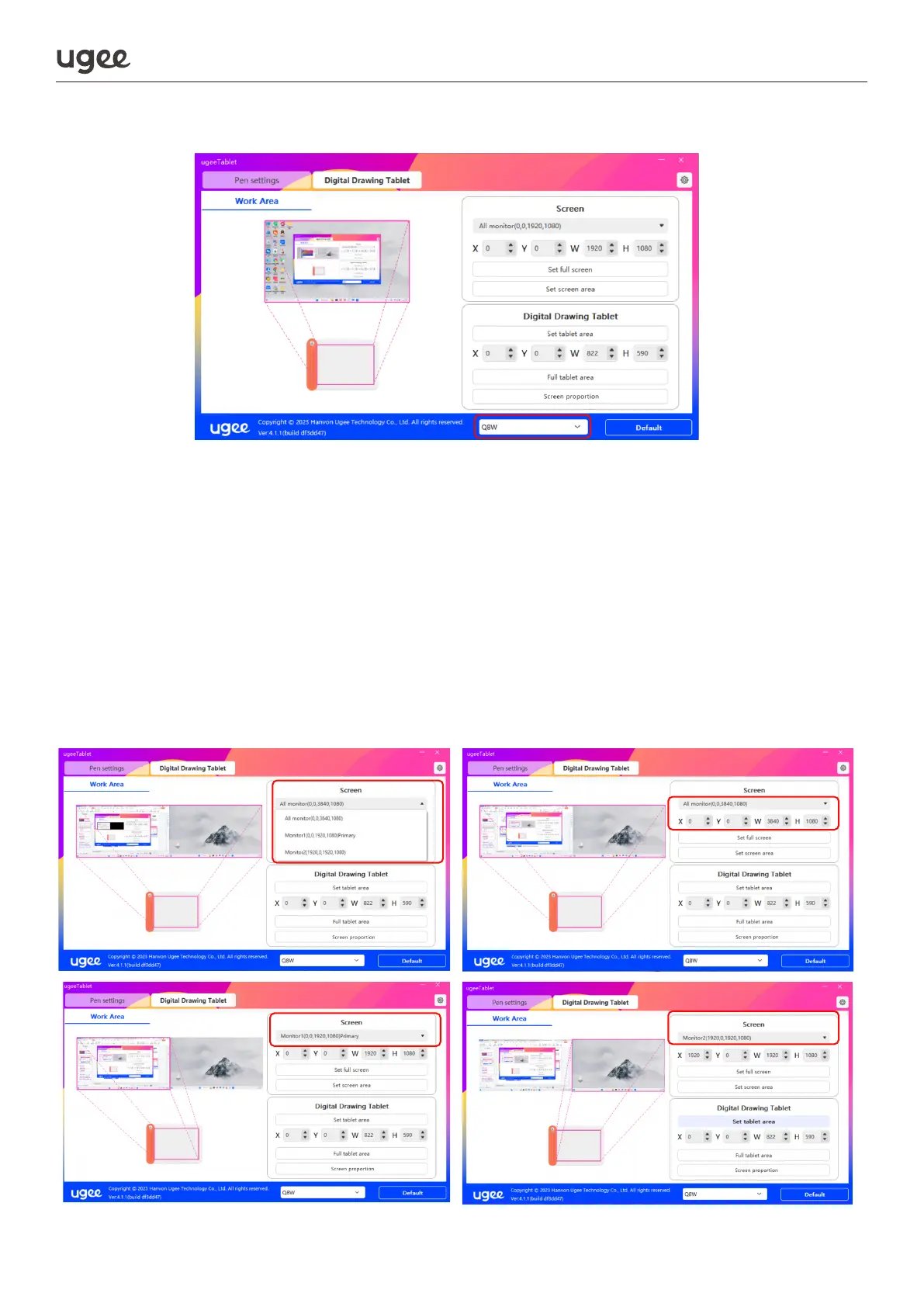
2.2.2.1 Setting up Multiple Monitors
Select the work area to set the correspondence between the movement of the
stylus on the drawing tablet and the cursor's movement on the monitor screen.
When using a single monitor:the entire work area of the drawing tablet is mapped
to the full screen of the monitor by default.
When using two or more monitors:the drawing tablet is mapped to each monitor
screen in duplicate mode. In extended mode, you need to select the monitor screen
which you wish the tablet to map to in the driver.
Figure 2
Figure 1: Multi-monitor Extended Mode



 To Next Page