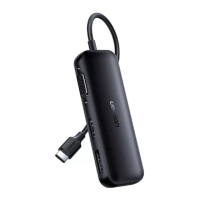
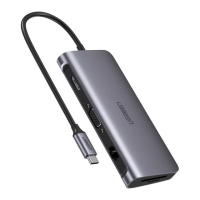
This document describes the CM136, a USB-C hub designed to expand the connectivity of devices like MacBooks. The manual outlines two main models, 50209 and 50210, each offering a different set of ports to cater to various user needs.
Function Description
The CM136 acts as a multi-port adapter, allowing users to connect several peripherals to a single USB-C port on their host device. Both models facilitate video output, data transfer, and power delivery.
Model 50209:
This model is equipped with an HDMI port for video output, three USB 3.0 ports for data transfer and connecting peripherals, and a USB-C PD (Power Delivery) port for charging the host device and the hub itself. It connects to the host device via a USB-C plug.
Model 50210:
The 50210 model features a VGA port for video output, three USB 3.0 ports for data transfer, and a USB-C PD port for power. Similar to the 50209, it connects to the host device using a USB-C plug.
Both models support display mirroring and extended display modes, configurable through the host device's system preferences.
Important Technical Specifications
Model 50209:
- Video Output: 1x HDMI port
- Data Ports: 3x USB 3.0 Ports
- Power Input/Output: 1x USB-C PD Power Port
- Host Connection: 1x USB-C Plug
Model 50210:
- Video Output: 1x VGA port
- Data Ports: 3x USB 3.0 Ports
- Power Input/Output: 1x USB-C PD Power Port
- Host Connection: 1x USB-C Plug
General Specifications (applicable to both models):
- Compatibility: Designed for MacBooks, but generally compatible with devices featuring a USB-C port that supports video output and power delivery.
- Display Modes: Supports "Mirror Displays" and "Extend mode" via system preferences.
- Power Delivery: The USB-C PD port is exclusively for power supply.
- Audio Support: Audio is not supported over the VGA port on model 50210.
Usage Features
Connecting to a Host Device:
The CM136 connects to a MacBook (or other compatible host device) via its integrated USB-C plug.
Connecting Peripherals:
- USB 3.0 Ports: These ports can be used to connect various USB peripherals such as USB-C chargers, mice, keyboards, and flash drives.
- Video Output:
- Model 50209 (HDMI): Connect an HDMI cable from the hub to a display device to extend or mirror your screen.
- Model 50210 (VGA): Connect a VGA cable from the hub to a display device for video output.
- Power Delivery: The USB-C PD port allows for charging the MacBook and the hub simultaneously using the MacBook's original power adapter. It is important to note that this port is solely for power supply and not for data transfer.
Configuring Display Settings (MacBook specific):
- Mirror Mode: To mirror the display, navigate to "System Preferences" > "Displays" > "Arrangement" and check "Mirror Displays."
- Extend Mode: To extend the display, go to "System Preferences" > "Displays" > "Arrangement" and uncheck "Mirror Displays."
Maintenance Features
General Care:
The manual emphasizes the importance of reading instructions carefully before first use and keeping the user manual for future reference. Users should pay particular attention to safety instructions.
Warranty Conditions:
- Warranty Period: A new product purchased through the Alza.cz sales network is guaranteed for 2 years.
- Claim Process: For repairs or services during the warranty period, contact the product seller directly and provide the original proof of purchase with the date.
- Exclusions from Warranty: The warranty may not be recognized under certain conditions, including:
- Using the product for purposes other than its intended use or failing to follow maintenance, operation, and service instructions.
- Damage caused by natural disaster, unauthorized intervention, or mechanical damage due to buyer's fault (e.g., during transport, cleaning with inappropriate means).
- Natural wear and aging of consumables or components (e.g., batteries).
- Exposure to adverse external influences such as sunlight, radiation, electromagnetic fields, fluid or object intrusion, mains overvoltage, electrostatic discharge (including lightning), faulty supply or input voltage, inappropriate polarity, or chemical processes (e.g., from used power supplies).
- Modifications, alterations, or adaptations to change or extend product functions, or the use of non-original components.
WEEE Compliance:
The product must not be disposed of as normal household waste. It should be returned to the place of purchase or handed over to a public collection point for recyclable waste, in accordance with the EU Directive on Waste Electrical and Electronic Equipment (WEEE - 2012/19/EU). Proper disposal helps prevent negative environmental and health consequences. Improper disposal may result in fines.
CE Marking:
The product has been tested and complies with the essential requirements set out in relevant directives, as indicated by the CE mark. The declaration of conformity can be found on the alza.cz website.

 Need help?

 To Next Page
 General