12
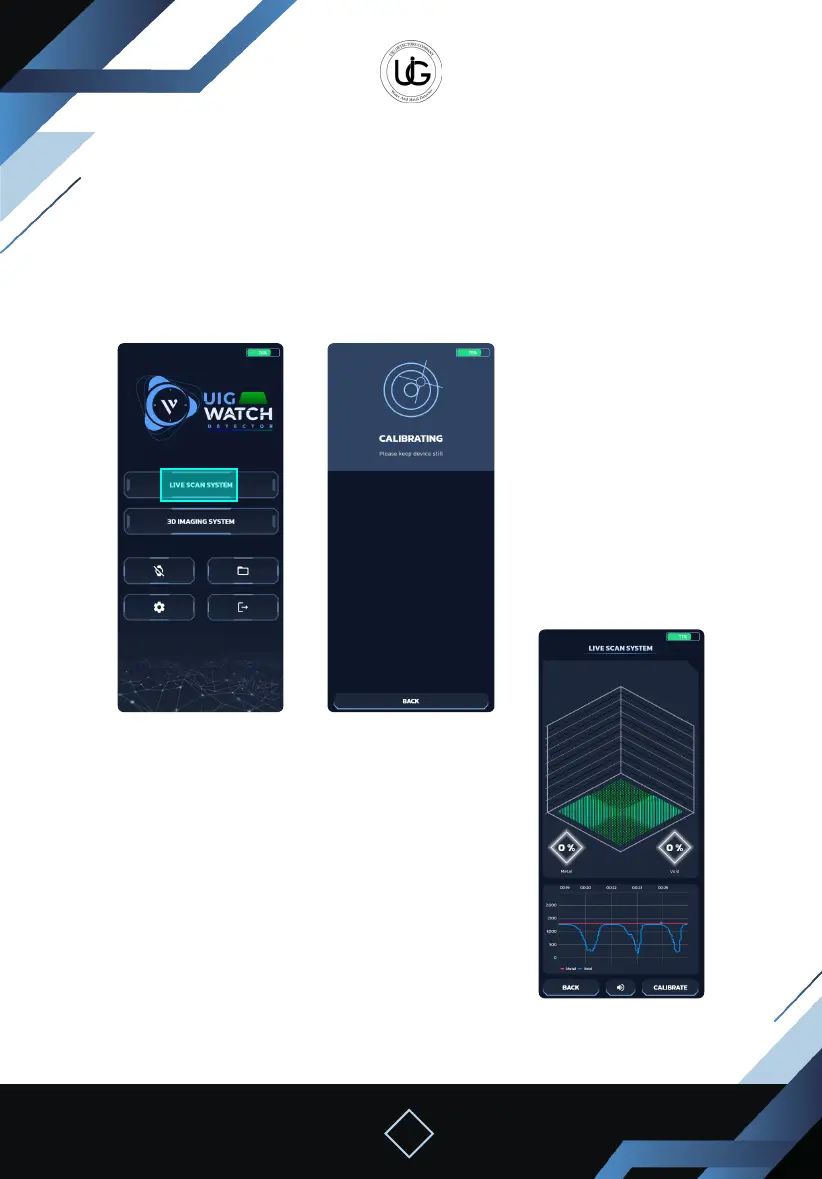
Using the ground live scan system with the mobile phone:
To start using this system, the device must be straight and stable in the direction of the
ground.
We click on the “Live Scan System” icon on the application’s main screen, wait until the
device is calibrated with the ground, and then move while considering the previous
instructions.
Second
Home screen Calibration screen
Live scan screen
The following elements will appear on the screen
1. A schematic representation consisting of a gradient
square accompanied by a percentage and a chart
representing the signal strength level emitted from the
target with intermittent sound.
2. Calibration icon: To recalibrate the device when
moving to a dierent search area or changing direction.
3. Mute and activate the device sound icon.
4. Back icon: To return to the main menu.


 To Next Page
 Loading...