15
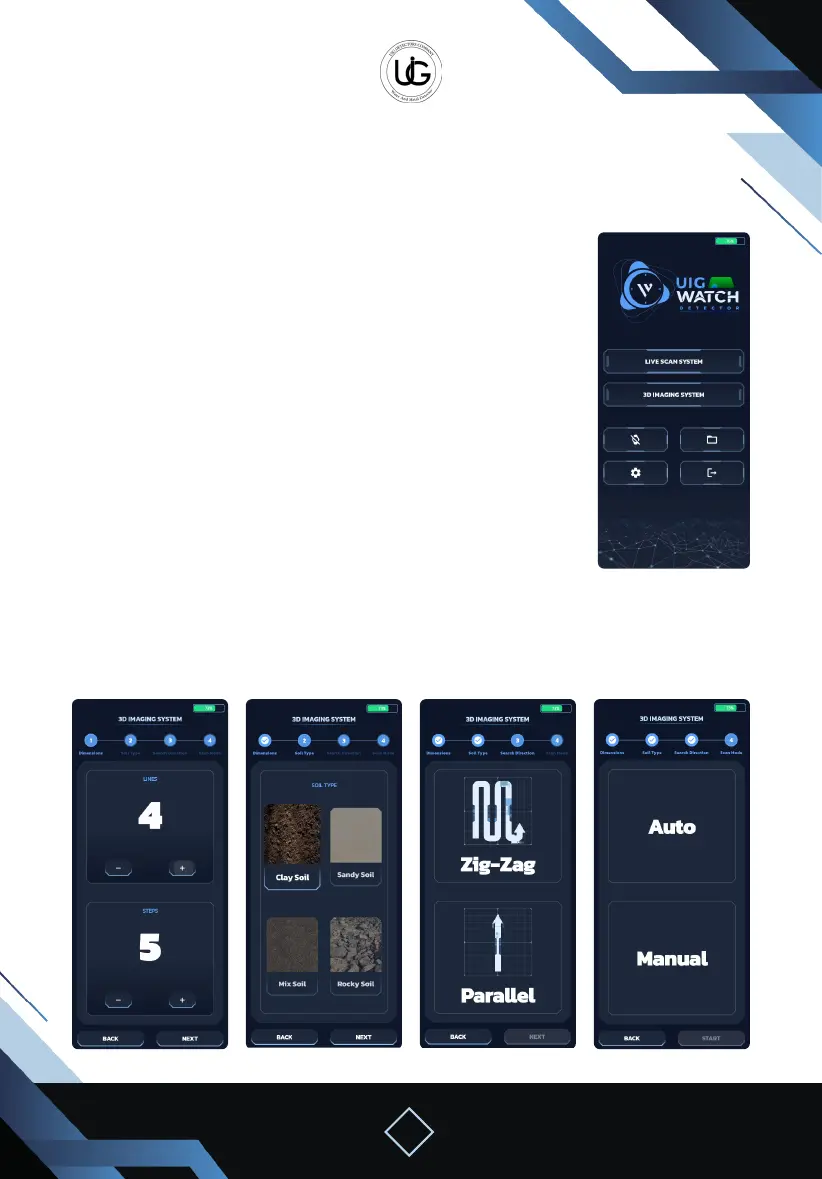
Using the 3D Imaging System with a Mobile Phone:
Enter the main screen of the application, and press the “3D Imaging
System” button to navigate to the search properties selection screen,
which includes:
Column and Step Selection Page: specify the number of columns
and steps in each column according to the available space in the
search area.
Soil Type Selection Page: choose the soil type from the following
options: sandy, clay, rocky, or mixed, to obtain the best result for
depth detection.
Search Method Selection Page: to determine the search method,
whether it is zigzag, bidirectional, or parallel, where each column is
completed before moving to the beginning of the next column.
Search Mode Selection Page: automatic mode can be chosen, where the device captures
images automatically while moving, or manual mode where you have to press the capture
button at each step manually.
3D Imaging System Operation Steps
Home Screen
Lines & Steps Soil Type Direction Mode


 To Next Page
 Loading...