16
After selecting the search properties, stand still and stabilize the device towards the
ground, then press the “Start” button, the device will calibrate with the soil.
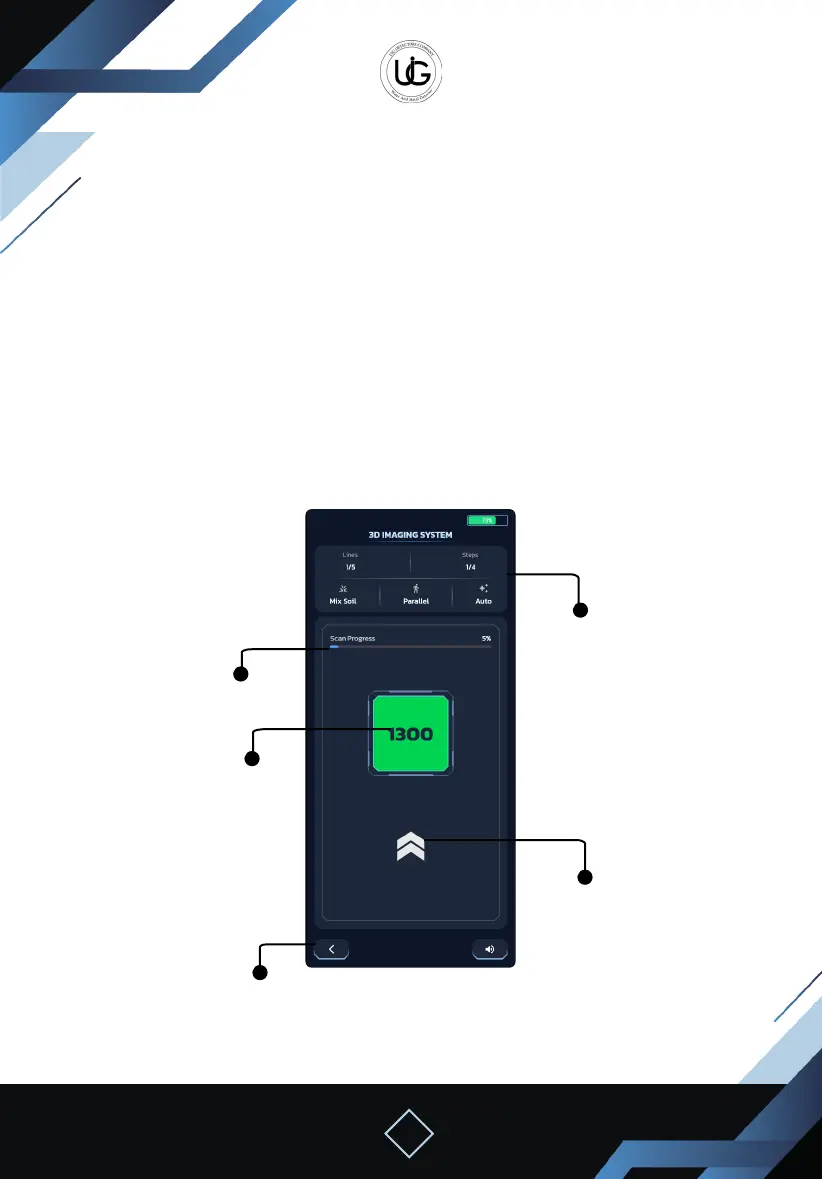
Upon completion of the calibration, the following elements will appear on the screen:
Information Section: containing information about the selected search properties,
current and remaining columns, and steps.
Search Status Display Section: Containing a progress bar and percentage of the survey
progress.
A box that gradually changes according to the target type, Displaying the current
captured value.
An arrow’s direction indicating the direction to move.
A manual search mode capture button.
Sound mute and activate button.
Exit button to return to the main menu.
Information
Section
An arrow’s
direction
indicating the
direction to
move
Search Status
Display Section
A box that
gradually
changes
according to the
target type
Exit button


 To Next Page
 Loading...