18
After completing all the steps, a data processing message will appear, and you will be
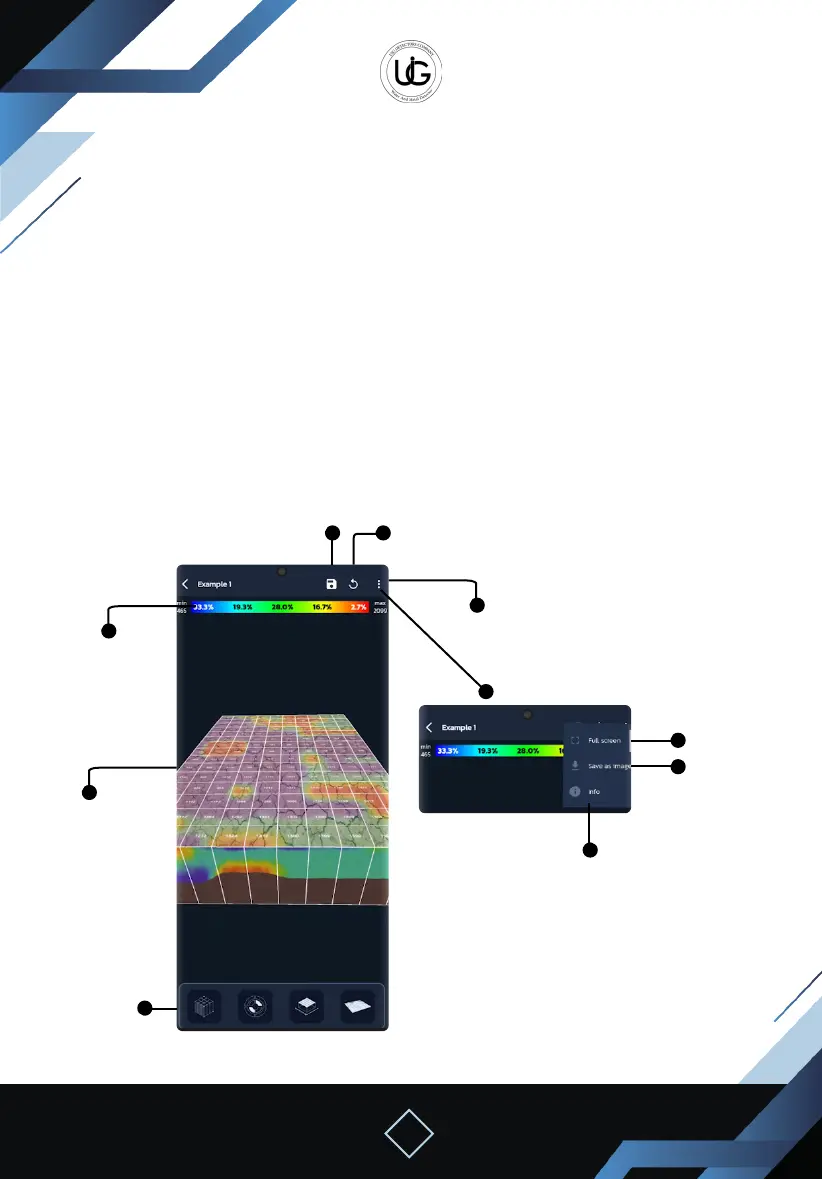
directed to the search result page, which includes:
Top Toolbar: containing the following buttons:
Save: to save the search result within the application les.
Reset the image to default.
Full screen.
Save the shape as an image in the gallery.
Information.
Percentage bar of the colors present in shape.
3D Shape: displaying the steps and columns divided with the search value for each step,
the color and shape change according to the search result.
- If it is graded towards red, it indicates the presence of targets in the area.
- If it is graded towards blue, it indicates a void.
Top Toolbar
Full Screen
Information
Save the shape
as an image in
the gallery.
Save
Reset the image
to default.
Percentage bar
of the colors
present in
shape.
3D Shape
Tool Bar


 To Next Page
 Loading...