20
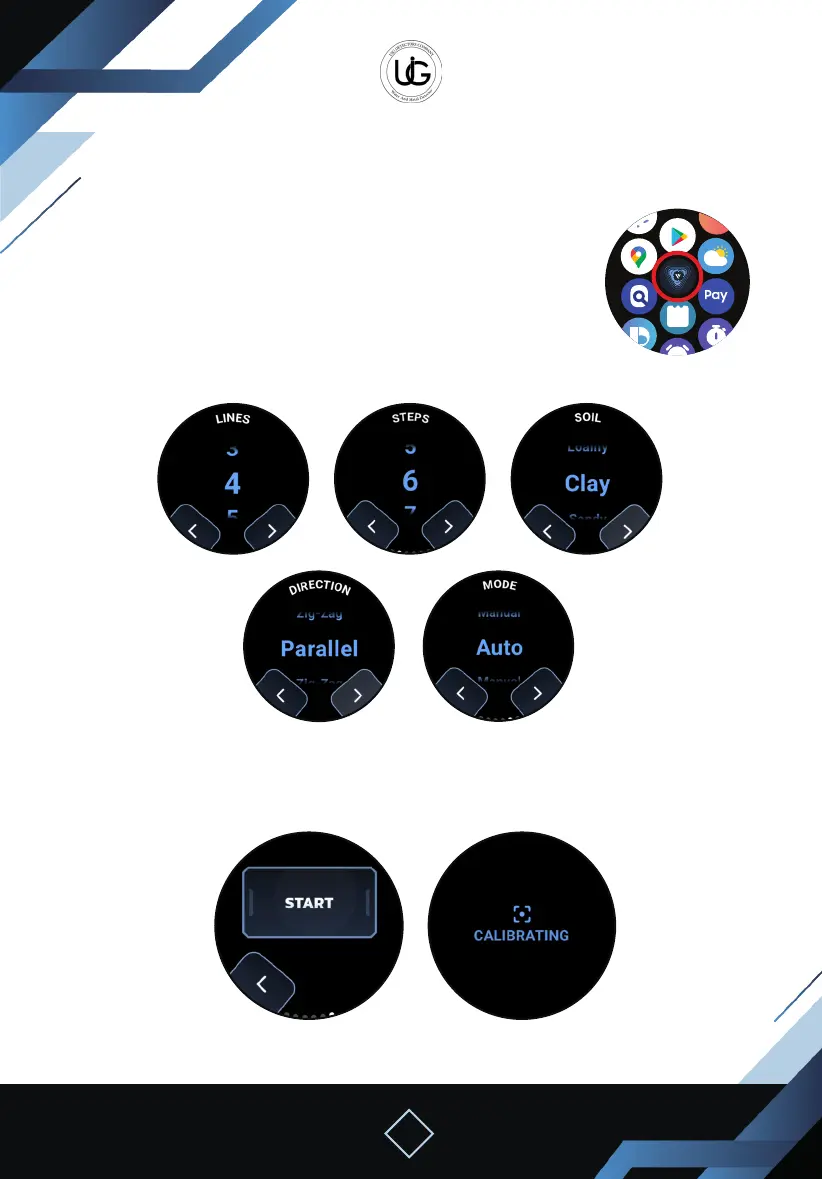
Stand still and stabilize the device towards the ground.
Press the “Start” button.
The device will calibrate with the soil.
Lines Steps
Direction
CalibrationStart Calibration
Mode
Soil Type
Second: Using the 3D Imaging System with a Smartwatch:
To start, press the watch icon from the application’s main screen to
activate the operation mode on the smartwatch:
You can close the phone while keeping it near to the device.
Open the application on the smartwatch.
Press the “3D Imaging” button, and you will be directed to a page
to select the search properties, including columns, steps, soil type, search
direction, and search mode (automatic or manual).


 To Next Page
 Loading...