4
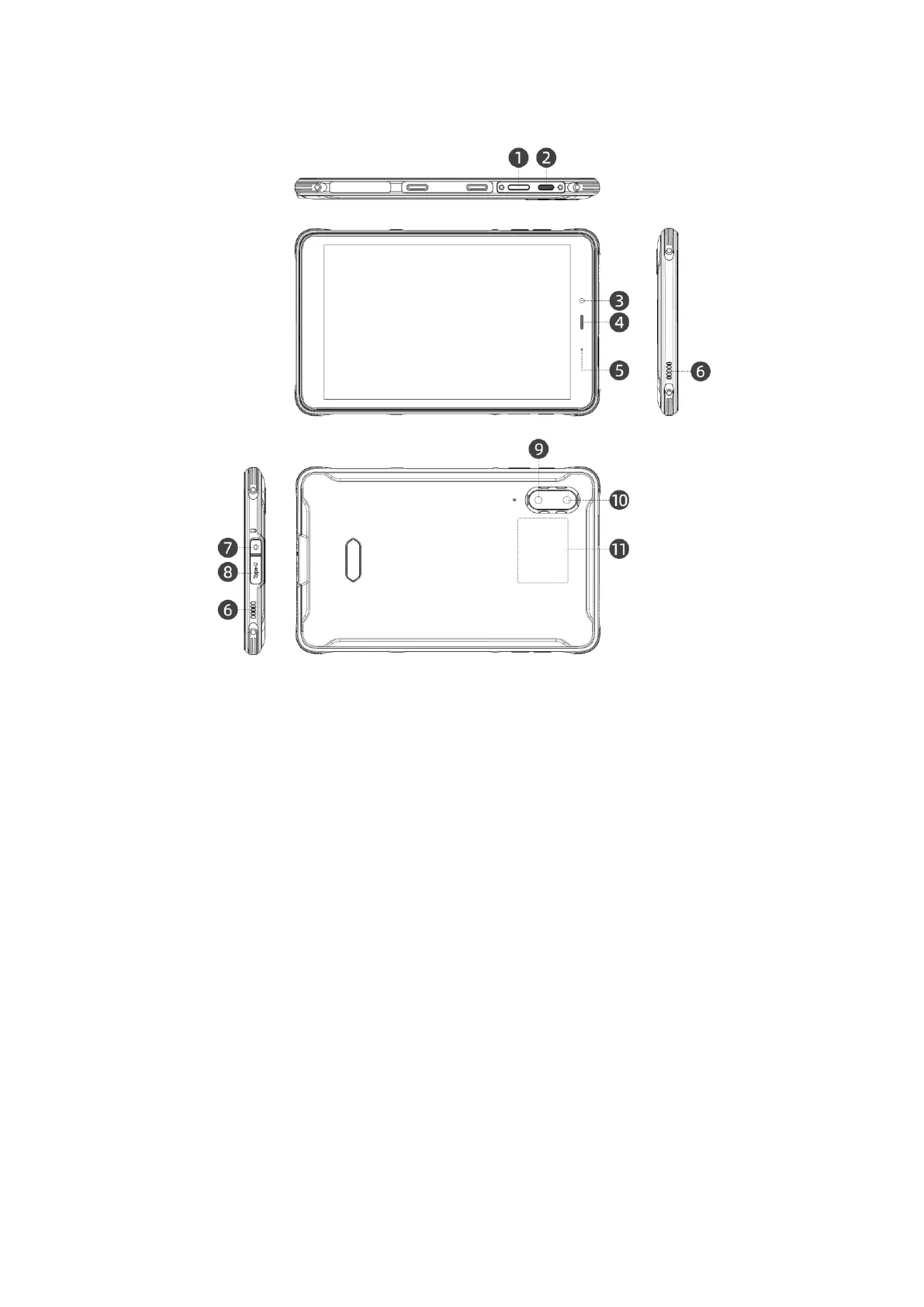
Device Layout
1. Power key / side fingerprint
sensor
2. Customized button
3. Front camera
4. Receiver
5. LED indicator light
6. Speaker
7. 3.5mm headphone jack
8. Type-C charging port
9. Flash
10. Rear camera
11. NFC
12. uSmart expansion connector
13. Volume button
Charging the battery
Connect the supplied USB cable to the Type-C connector of the tablet. Connect the cable
to the adapter and connect the adapter to the outlet. The tablet begins to charge, and
the battery indicator is shown on the screen.
Note: Fully charge the battery during the first charge.
Long press the power key to turn on the tablet.


 To Next Page