5
Package Contents
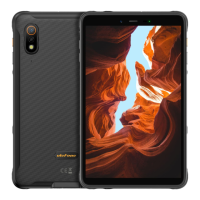
• Tablet
• Charger adapter
• Type-C cable
• Quick start guide
Warning
• When using earphones, avoid listening to music on high volumes, as excessive
volumes can damage your hearing and may even lead to hearing loss.
• Caution: Risk of explosion if the battery is replaced by an incorrect type. Dispose
of used batteries according to the instructions.
• The product shall only be connected to a USB interface specified in this user
guide.
• Adapter shall be installed near the equipment and shall be easily accessible.
• Operating temperature: -10°C ~ 40°C.
Multifunction Instructions
Custom Key
First, enter Settings and find Custom Key (or Smart Key). Click on it and enable the
custom key function. Now, you can set which actions take place after what action. You
can set it to access recording, flashlight, screenshot, underwater camera, SOS, or enter
any installed app with a single click.
Gloves Mode
First, enter Settings and find Gloves Mode (or Intelligent Assistance). Click on it and
enable the gloves mode. With this, manipulating with the tablet will be easier when
wearing gloves.
Underwater Camera
Pull down the Quick Settings Menu or press the Custom Key according to your previous
settings to activate the underwater camera.
• Short press Volume up to take a photo.
• Short press Volume down to record a video.
• Long press Volume up for a long time, then short press Volume down to switch
between front and rear cameras.
• Press the Custom key to exit.


 To Next Page