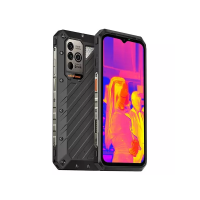
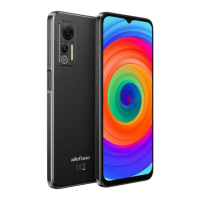
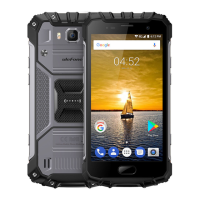
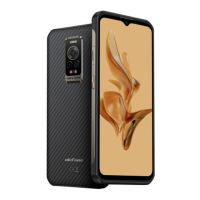
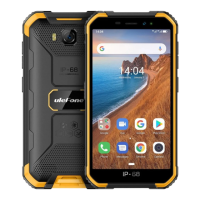
This document provides a quick start guide for the Note 6T Smart Phone, covering its physical components, basic setup, and initial usage.
The Note 6T Smart Phone is a dual SIM mobile device designed for communication and multimedia. It features a standard smartphone layout with a touchscreen display and physical buttons for control.
Physical Components and Functionality:
The phone's exterior includes several key components:
- Earphone Jack (1): For connecting wired headphones.
- Light Sensor (2): Automatically adjusts screen brightness based on ambient light.
- Receiver (3): The earpiece for listening during calls.
- Front Camera (4): Located on the front for selfies and video calls.
- LCD (5): The main display screen.
- Mic (6): The microphone for voice input during calls and recordings.
- USB Port (7): For charging the device and connecting to a computer for data transfer.
- Speaker (8): For audio output, such as ringtones, music, and speakerphone calls.
- Volume Key (9): Adjusts the audio volume.
- Power Key (10): Turns the device on/off, locks/unlocks the screen, and can be used to restart the phone.
- Camera (11): The rear-facing camera for taking photos and videos.
- Flash Light (12): Provides illumination for the rear camera in low-light conditions and can function as a flashlight.
Basic Functionality and Usage:
- Turning On/Off: Press and hold the power key (10) to turn the phone on. To turn it off, long-press the power key until a menu appears, then select "Power off."
- Restarting: Similar to turning off, long-press the power key and select "Restart" from the menu.
- Locking/Unlocking the Screen: Press the power key (10) to lock the screen. The screen will also auto-lock after a period of inactivity. To unlock, press the power key and slide the screen upwards.
- Making Calls: Touch the phone icon on the Home screen, enter the desired phone number, and then touch the phone icon again to dial.
- Sending Messages: The phone supports text messages and multimedia messages. Messages from the same contact are grouped into a conversation list for easy viewing of communication history.
SIM and SD Card Installation:
The Note 6T is a dual SIM phone, allowing the use of two mobile networks simultaneously. It also supports an SD card for expandable storage.
- Switch off the phone before installation.
- Remove the back cover of the phone.
- Remove the battery.
- Install SIM and SD cards: Place the cards with the chip facing downwards and slide them into their respective slots. Ensure they are correctly inserted.
- Reinsert the battery and back cover.
Important Notes on SIM/SD Card Usage:
- Do not remove cards while data is being transferred to prevent data loss or damage to the cards/device.
- Keep SIM/SD cards away from children as they are small parts and could be swallowed.
- Avoid touching the metal surface of SIM/SD cards and keep them away from electromagnetic fields to prevent data damage.
Battery Charging:
- Charge the battery before initial use.
- Connect the USB cable to a USB power adapter, then plug the other end of the USB cable into the phone's USB Port (7).
Storage Options (SD Card):
The SD card can be used as internal storage.
- Option 1 (Extra Phone Storage): Notification Center -> Tap the notice to set up -> Use for extra phone storage -> Next -> Format (for apps, files, and media on this phone only).
- Option 2 (Portable Storage): Notification Center -> Tap the notice to set up -> Use for portable storage -> Next -> Done (for transferring files and media between devices).
WLAN Connectivity:
The phone supports WLAN (Wireless Local Area Network) for internet access.
- To configure WLAN: Go to Settings -> Wi-Fi and turn it on.
- The device will scan for available WLAN networks and display their names.
- Tap on a listed network and enter the password if prompted to join.
- FCC Compliance: This device complies with Part 15 of the FCC Rules. Operation is subject to two conditions: (1) the device may not cause harmful interference, and (2) the device must accept any interference received, including interference that may cause undesired operation.
- Modifications: Any changes or modifications not expressly approved by the party responsible for compliance could void the user's authority to operate this equipment.
- RF Exposure: The device meets government requirements for exposure to radio waves. The SAR limit in the USA (FCC) is 1.6 W/kg averaged over one gram. This device (Model GQ3277, FCC ID: 2AOWK-3277) has been tested for SAR compliance. SAR information can be found online at http://www.fcc.gov/oet/ea/fccid/ using the FCC ID number.
- Body Separation: For typical operations, the device was tested at 10mm from the body. To maintain compliance with FCC RF exposure requirements, a 10mm separation distance should be maintained from the user's body.
- Interference (Class B Digital Device): This equipment has been tested and found to comply with Class B digital device limits, providing reasonable protection against harmful interference in a residential installation. If interference occurs (e.g., with radio or television reception), users are encouraged to try corrective measures:
- Reorient or relocate the receiving antenna.
- Increase the separation between the equipment and receiver.
- Connect the equipment to an outlet on a different circuit from the receiver.
- Consult the dealer or an experienced radio/TV technician for help.

 Need help?
 General

 To Next Page