4) Water flow control
If necessary, adjust the water flow with the knob on the tank.
5) Controlling the direction of movement
When the machine is running, slightly lift or press the control lever, then the
machine can move to the right or left.
6) Finishing work with the device
Release the start buttons, disconnect the power supply, empty the tank and rinse
it with clean water. Remove the cleaning brush or pad.
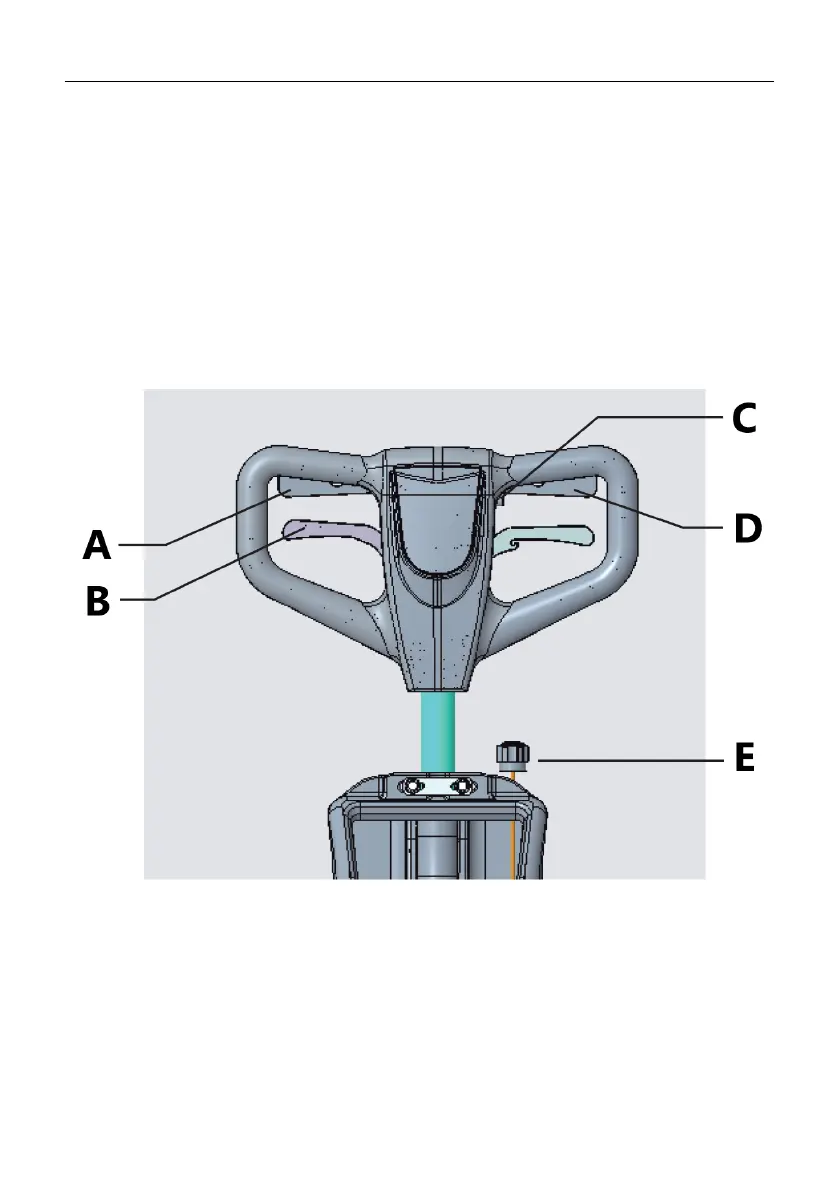
A - Right start button
B - Handle adjustment lever
C - Safety button
D - Left start button
E - Fluid adjustment knob
• Before cleaning, put up appropriate warning signs.



 To Next Page