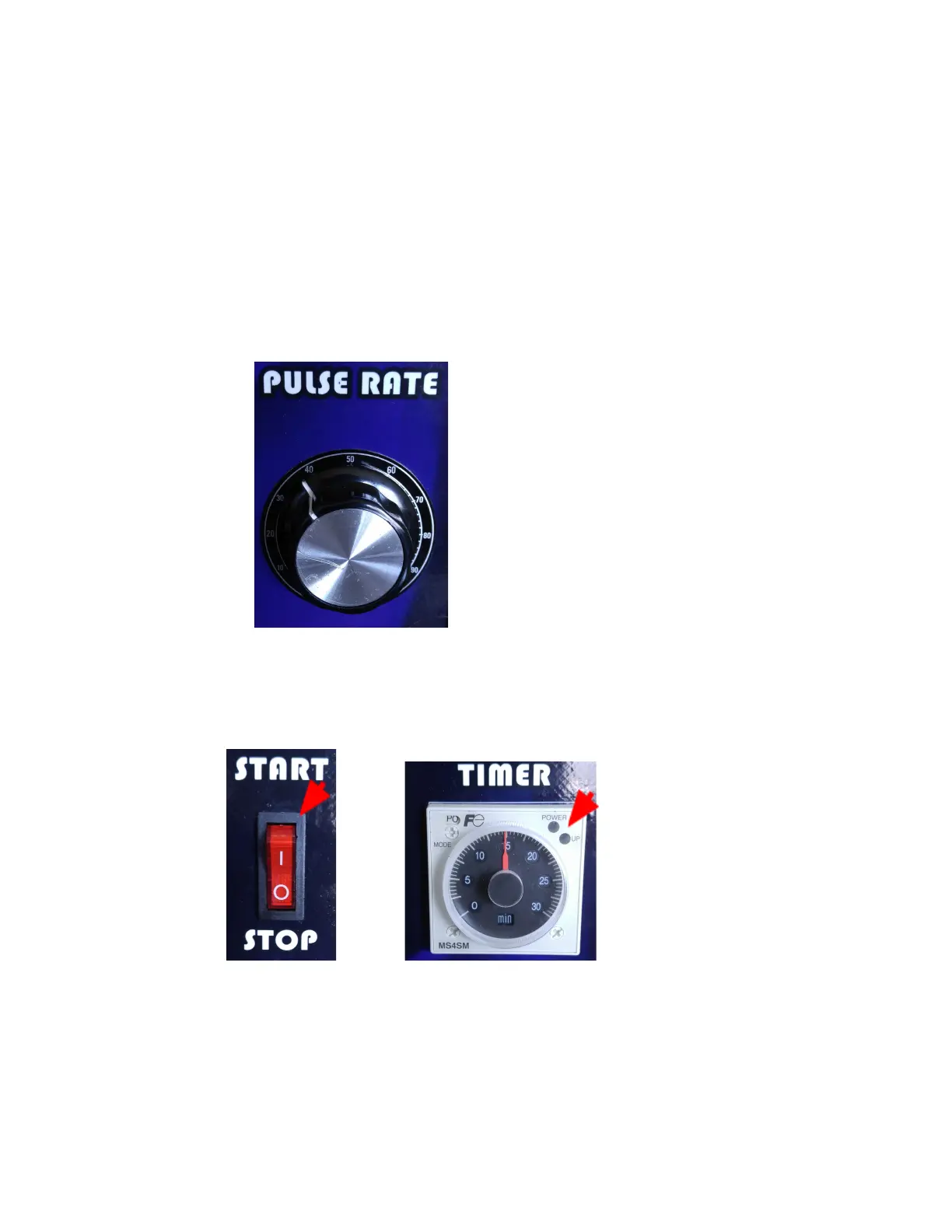
7. Set the PULSE RATE knob to desired setting.
Turn the knob to the RIGHT for SLOWER pulse rate and to the LEFT for FASTER pulse
rate. Note also that turning the knob to the EXTREME position to EITHER LEFT OR RIGHT
will cause the pulsing to stop; putting the device in an “off” state.
Note: The PULSE RATE knob may turn all the way around more than once.
Warning: Although the PULSE RATE may turn all the way around more than once, USE
CAUTION NOT TO TURN the PULSE RATE knob far TO THE EXTREME in either
direction. Doing so would cause the knob to break.
8. When the timer has expired, the unit will stop pulsing. The START/STOP switch LED will
TURN ON and the TIMER LED Indicator will be flashing.
9. VERY IMPORTANT: Leave the device ON for 5 minutes before switching the POWER
ON/OFF switch to the OFF(O) position.
10. Close the enclosure lid to prevent condensation to form.
13


 To Next Page