Probe Replacement Procedure (Appendix A)
Make sure the POWER ON/OFF switch is in the OFF position and the device is disconnected from the main
power source.
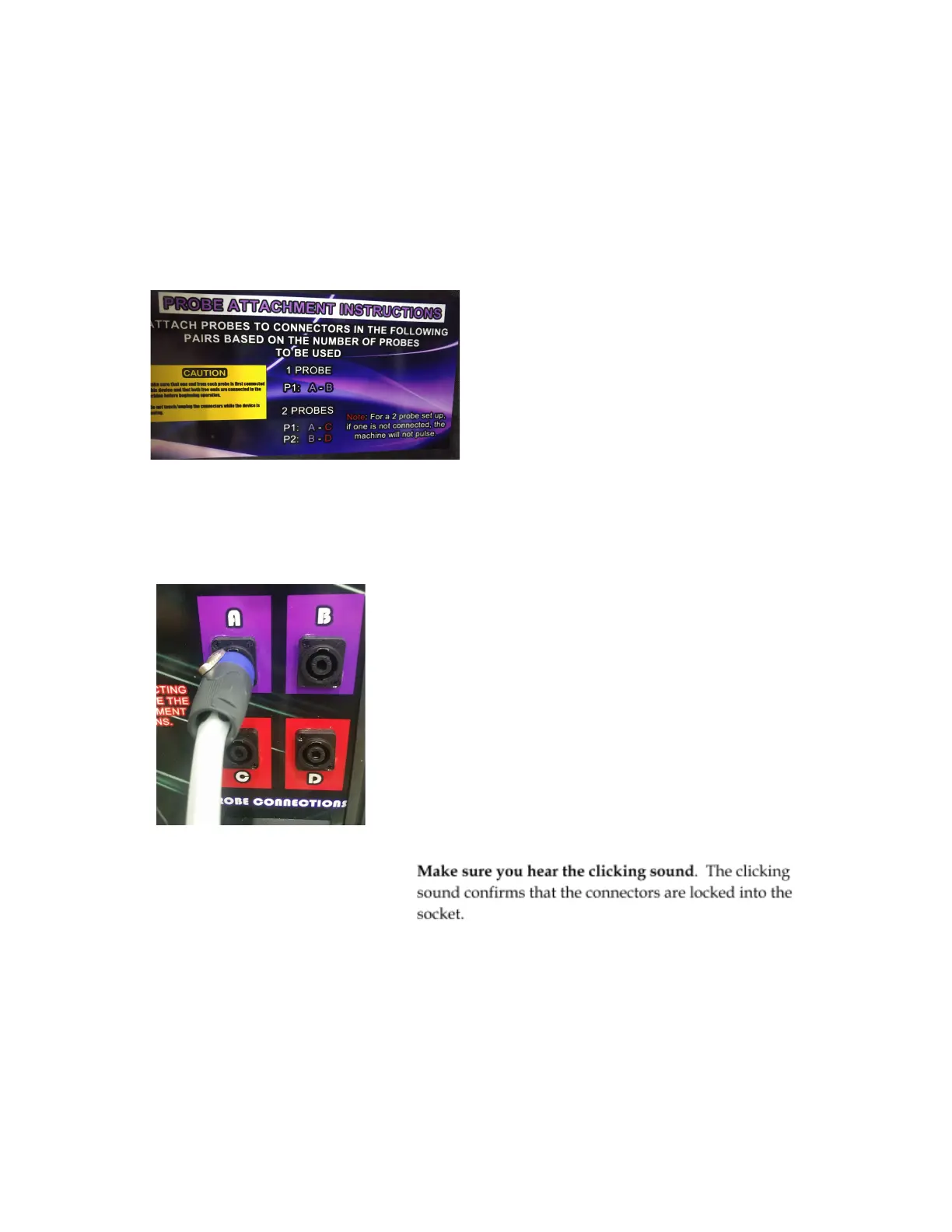
Note: The Probe Attachment Instruction can be found on the inside of the lid of EPulse Elite. Refer to the
picture below.
I. CONNECTING ONE (1) PROBE
To use one (1) probe only, ONLY connections A and B will be used
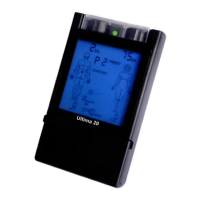
1. Take any of the probe connector and aim it towards socket A of the probe connections. Insert the probe
connectors at an angle as shown below
2. Insert the other connector to Socket B then turn both connectors towards the right until you hear a click.
14


 To Next Page