OTHER FEATURES
1. When the unit is turned on, if any of the buttons are
not pressed within 5 minutes, it will automatically
shut off.
2. When the treatment timer has been set, it begins to
count down one minute by one minute and is
displayed on the LCD. Once it counts down to zero,
the device automatically shuts off.
3. The treatment time will be accumulatively recorded
when the output level is above zero, by pressing
“CH1▼” button and “Prog“ button for 3 seconds, the
accumulative treatment time in minutes can be
displayed, or return back to the previous normal
display in toggle; by pressing “CH2▼” button and
“Prog“ button for 3 seconds will clear the treatment
time to zero.
4. When the program changes, the output level will go
down to zero immediately.
5. When the unit is turned on, it will automatically enter
the mode that the unit had worked in before the unit
was turned off.
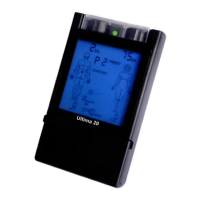
6. When the battery is low, the battery icon will flash
indicating that the batteries should be recharged.
7. When the output intensity level of CH1 and CH2 is
over 0, the corresponding output sockets of
CH1/CH2 will light up.
- 21 -



 To Next Page