GB/IE/NI/CY/MT
19
The LED strip
4
continues to light up white.
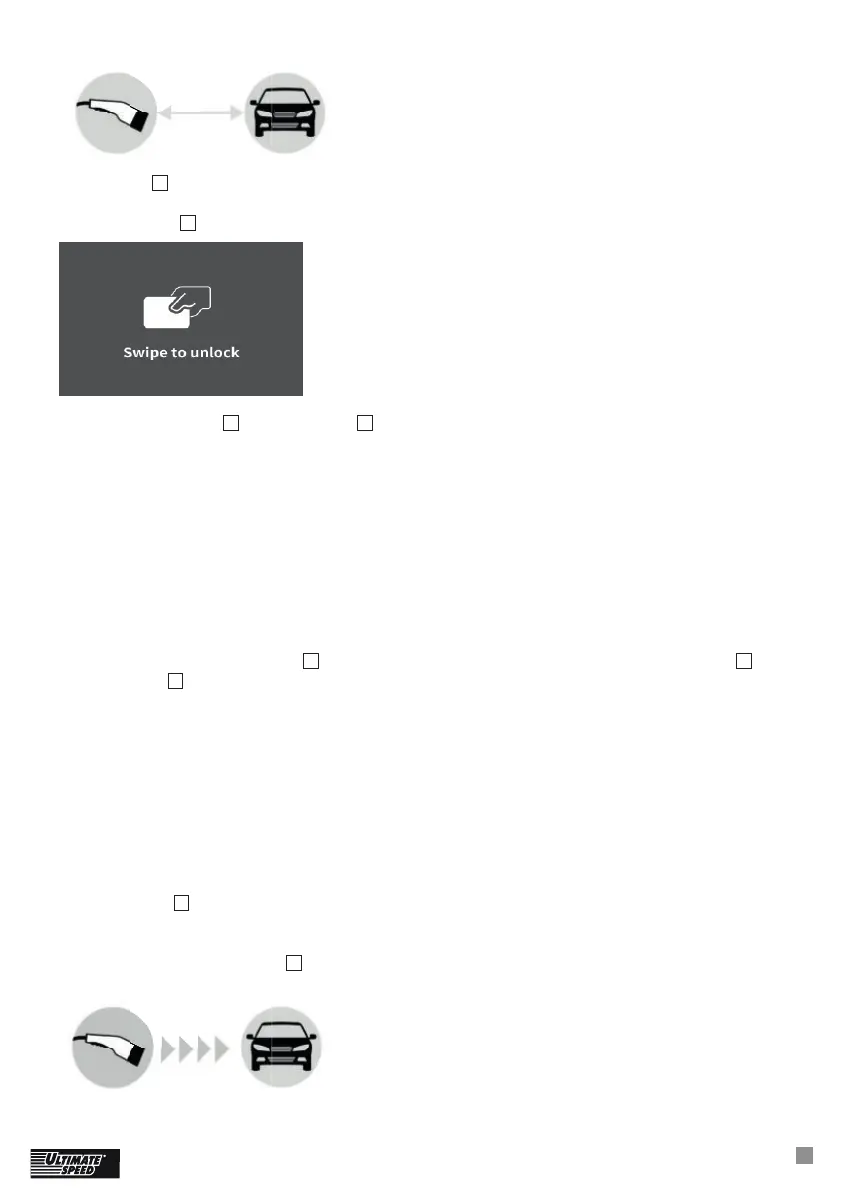
If the device is activated for operation with RFID card, the following image appears on the digital
charging display
3
:
Hold the RFID card
44
over the symbol
6a
for a moment to activate the charging process.
The following responses are possible:
1. The charger beeps for 0.5 seconds: the RFID module of the EV charger has read the card
successfully and identifi ed the relevant RFID card. The EV charger is now enabled.
2. The EV charger beeps for 0.15 seconds, stops for 0.2 seconds, beeps again for 0.15 seconds:
the RFID module of the EV charger could not identify the relevant RFID card.
3. The EV charger does not make a sound: Distance is too great, RFID card could not be identifi ed/
RFID module of the EV charger is damaged/RFID card is damaged/wrong card.
Start the charging process on the car, if you want to charge immediately, without using the car’s
timer.
Selecting the charge current:
Each time you press the button
2
a different charge current will be displayed (charge current
10
on
the display
3
). The following charge currents can be selected if only single phase is connected:
9 A (approx. 2 kW at 230 V)
13 A (approx. 3 kW at 230 V)
16 A (approx. 4 kW at 230 V)
The following charge currents can be selected if three phases are connected (AC current):
6 A (approx. 4 kW at 400 V)
10 A (approx. 7 kW at 400 V)
13 A (approx. 9 kW at 400 V)
16 A (approx. 11 kW at 400 V)
If the button
2
is not pressed for 5 seconds, then the selection is confi rmed. The last selected charge
current will always be stored.
The charging process will now be activated as long as the car’s charging timer is deactivated.
Thedigital charging display
3
indicates that the car is being charged:






 To Next Page