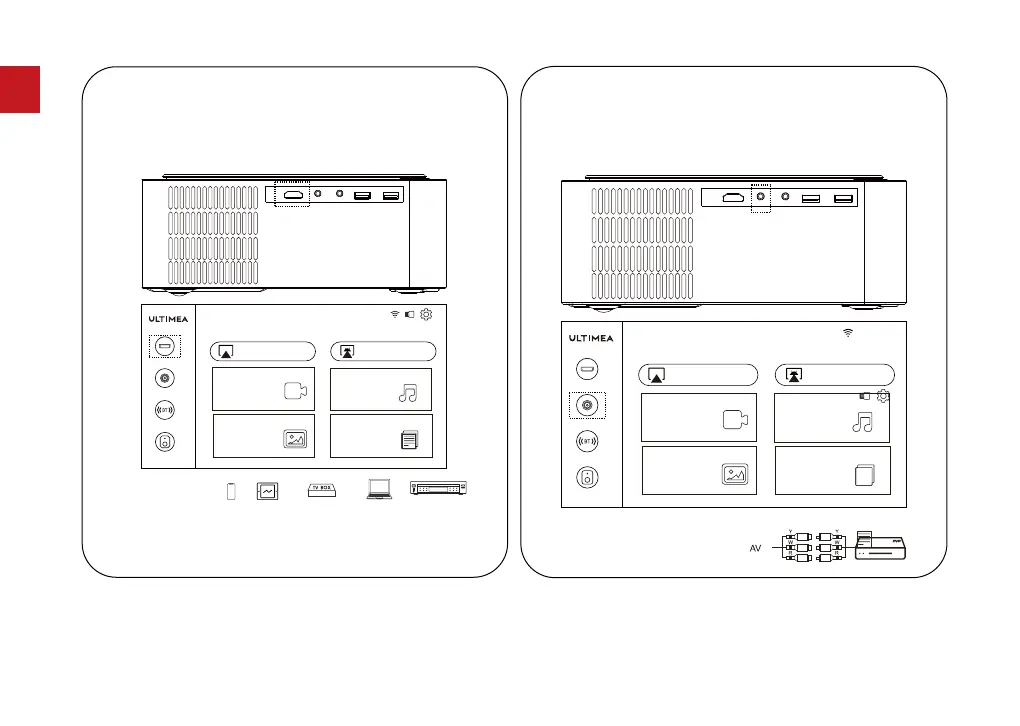
Use an HD cable to connect the projector with a
computer, game console, set-top box and other devices
that support HD output and select HD option in settings.
Note: Due to type-C protocols, android device can not
be played by HD cable connection.
6.1 HD Channel
TV Box
DVD
BT Speaker
Pictures
Video
AirPlay Miracast
Music
Office Suite
BT
AV
HD
Use an AV cable to connect the projector with a DVD
player, set-top box and other devices that support AV
output .
6.2 AV Channel
BT Speaker
Pictures
Video
AirPlay Miracast
Music
Office Suite
BT
AV
HD
07
EN



 To Next Page