6 Wired Connection to Devices
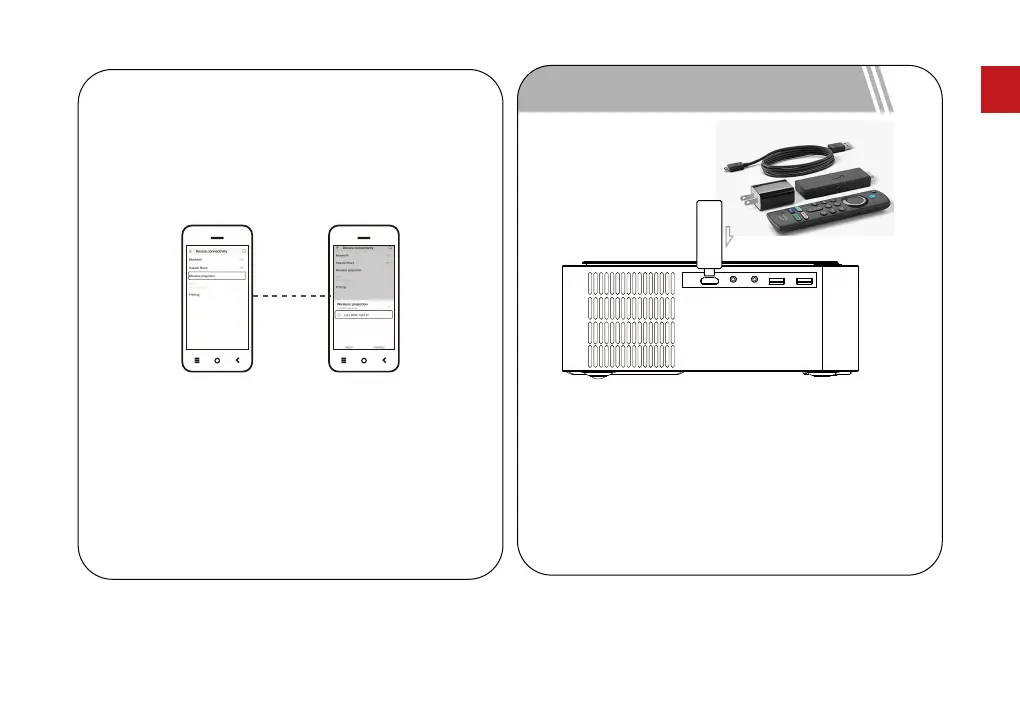
How to connect the Fire TV stick to the projector:
1. Connect the TV stick to power using the USB cable.
2. Plug the stick to the HD port on the projector.
3. Select the HD option in the settings on the projector.
The content of the Fire TV stick will be displayed on
the projection screen. Use the Fire stick’s remote to
select and stream your content.
Fire TV Stick
Due to HDCP protocol, Netflix,Amazon Prime and
similarservicescan not be played by the projector
wirelessly. PleaseuseaFireTVstick, Rokustickor
Chromecast TM (notincluded) and it connecttothe
projectortouse their streaming services.
Note:
2. Turn on the Android device, enter phone settings to
nd "Device Connectivity", click on "Wireless Display",
search for U0320 of the projector and
select U0320. Make sure that the projector and
Android device are connected to the same network.
06
EN



 To Next Page