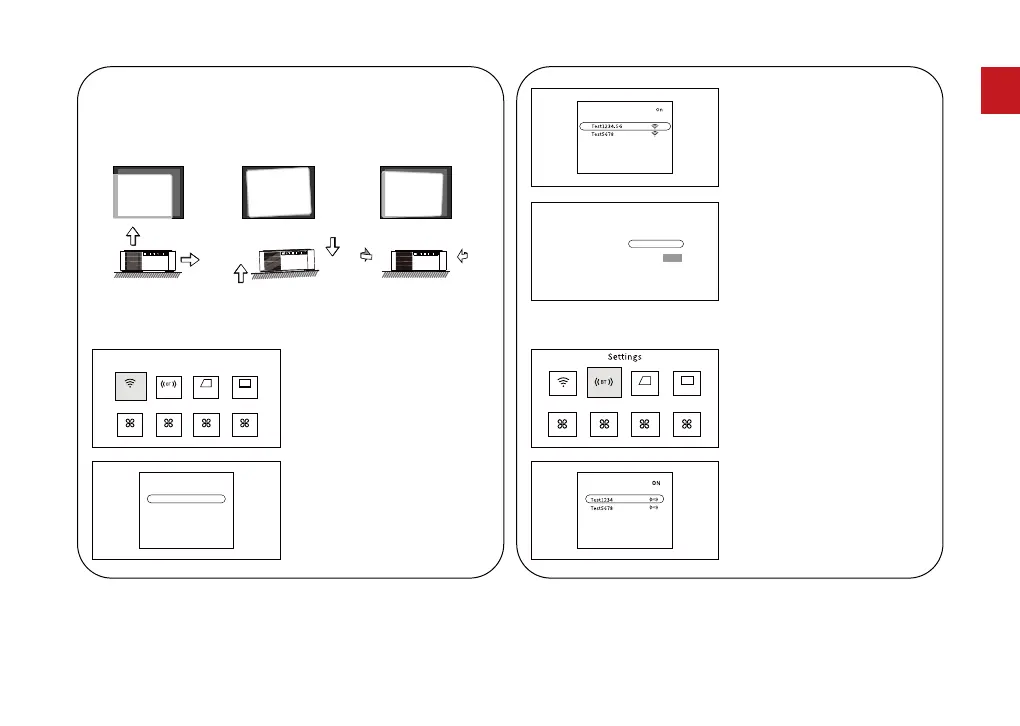
4.5 BT Settings
Click the settings icon on
the homepage to enter the
to projector settings,
select the "BT" click "OK"
button to conrm.
1.
BT Settings
Date
Turn on BT and select the
BT signal that needs to be
connected.
2.
BT
3.
The network list will appear
after searching for the
network. Select the
wireless network that needs
to be connected and press
the "OK" button to conrm.
4.
Click the connect button
after entering the
password.
Click the settings icon
on the homepage to
enter the projector
settings.
1.
Select "WiFi" and click
"OK" to conrm.
2.
4.4 WiFi Settings
BT Settings
Date
4.3 Adjust the Image Projected On the Screen
Check the horizontal and vertical settings of the screen.
04
EN



 To Next Page