EasyManua.ls Logo

Uncaged Ergonomics KT1 - User Manual

Uncaged Ergonomics KT1
2 pages
Print Icon
To Next Page IconTo Next Page
Loading...
www.UncagedErgonomics.com
ASSEMBLY & OPERATING INSTRUCTIONS:
KT1
Adjustable Height &
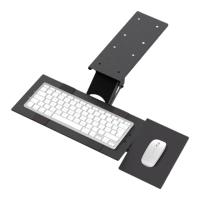
Angle Keyboard Tray
IMPORTANT: Before using your KT1:
Read and clearly understand the contents of this manual
Understand how to adjust KT1 correctly
Practice adjusting KT1 with nothing on it.
KT1 allows you to easily adjust the height & angle of your keyboard to optimize your typing posture.
IMPORTANT: BEFORE using KT1 or placing a keyboard & mouse on KT1, practice adjusting KT1s height & angle.
1
A B C
D
E
G
H
Have Questions? Need Help?
Out A+ customer support team is here to help:
EMAIL: info@UncagedErgonomics.com
PHONE: 240-583-0517
1
A
1. Align the Rail (A) with the edge of your desk.
2
2. Use 8 E screws to connect the Rail (A) to the bottom
of your desk.
E
G
H
3. Attach the Keyboard Panel (C) to the mounting panel with
4 H Screws & 4 G nuts.
3

Other manuals for Uncaged Ergonomics KT1

Question and Answer IconNeed help?

Do you have a question about the Uncaged Ergonomics KT1 and is the answer not in the manual?

Summary

Assembly and Operating Instructions

Aligning Desk Rail

Align the Rail (A) with the desk edge before securing it.

Securing Desk Rail

Use 8 E screws to attach the Rail (A) to the underside of your desk.

Attaching Keyboard Panel

Connect the Keyboard Panel (C) to the mounting panel using H screws and G nuts.

Connecting Mouse Pad Bracket

Attaching Mouse Pad Bracket to Tray

Connect the metal Mouse Pad Bracket to the keyboard tray using H screws and G nuts.

Attaching Mouse Pad to Bracket

Connect the Mouse Pad to the Mouse Pad Bracket using H screws and G nuts.

Mouse Pad and Tray Adjustments

Positioning Mouse Pad

Attach the Mouse Pad (D) to either side of the Keyboard Tray (C) and adjust position.

Tilting Mouse Pad

Press down to tilt the Mouse Pad and adjust its angle; tighten screws if loose.

Sliding Keyboard Tray

The Keyboard Tray slides in/out by pushing/pulling.

Adjusting Keyboard Tray Angle

Release the lever under the keyboard tray to adjust its angle.

Uncaged Ergonomics KT1 Specifications

General IconGeneral
Product TypeKeyboard Tray
MaterialAluminum
ColorBlack
AdjustabilityHeight, Tilt, Swivel
Tilt Range+15° / -15°