EN
CONSOLE PAIRING INTERFACE
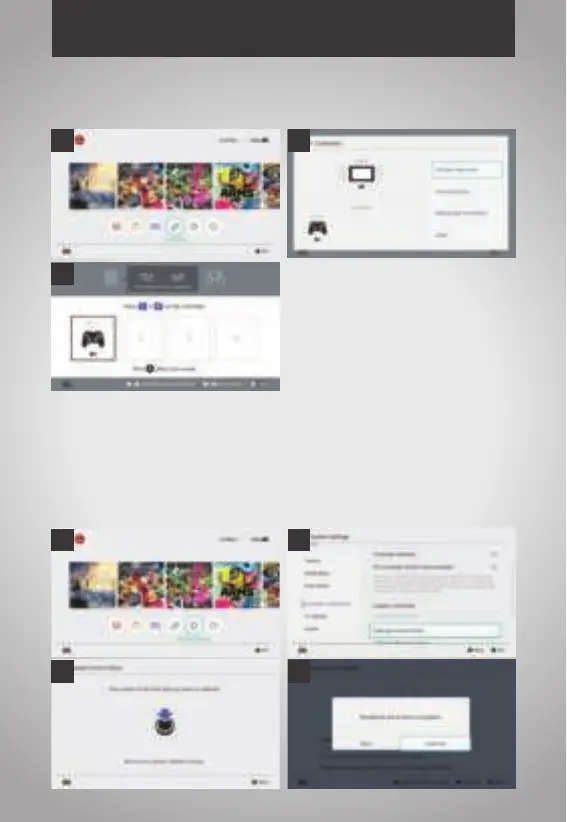
1. How to set into the console pairing interface:
2. 3D joystick adjustment:
A. Press "Home" button to main interface and then choose the system settings
B. Press "A" button step into the below interface and choose calibrate control sticks
C. Press "A" step into below interface
D. Then press 3D (L3/R3) step into below interface, and then press "X" button step in to
calibrate interface, and do actions based on the remind
A
C
B
A
C D
B


 To Next Page