EN
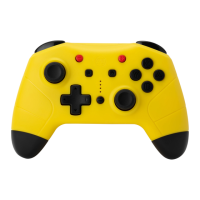
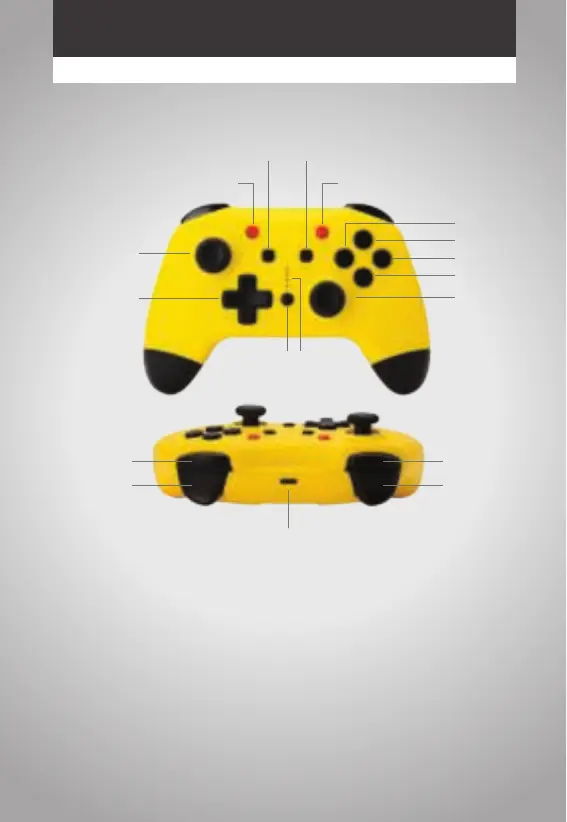
PRODUCT LAYOUT
HOW TO CONNECT
Pairing:
Please confirm your console updated to the latest version before connect. Hold "Home"
+"Y" buttons simultaneously 1 second to step into bluetooth searching mode. The four
LEDS flashing and will be keep light when it connected to show the player.
Reconnect mode:
Press "Home" button for 1 second to wake up the controller to reconnect. After connect
success, the LED should keep light and show the player. If can’t reconnect in 10 seconds
will keep sleep mode.
CAPTURE BUTTON HOME BUTTON
TURBO BUTTON
LED
+ BUTTON- BUTTON
Y BUTTON
X BUTTON
A BUTTON
B BUTTON
RIGHT JOYSTICK
LEFT JOYSTICK
DIRECTION PAD
PLEASE CHARGE THE BATTERY BEFORE FIRST USE
TYPE C CABLE
L BUTTON
R BUTTON
ZR BUTTON ZL BUTTON


 To Next Page
 Loading...