EN
DRIVER UPDATE :
The update of the ii-CON controllers is done automatically with the console, however for
emergency update, the driver of the ii-CON is available for downloading on our website:
www.proximaplus.com
The firmware update need to be done via a PC computer, read carefully the following instruc-
tions.
STEP 1 : Download the driver in the page of : SWITCH
TM
ii-CON controllers and save it in your
PC. We suggest you to download it on your computer and run it from there.
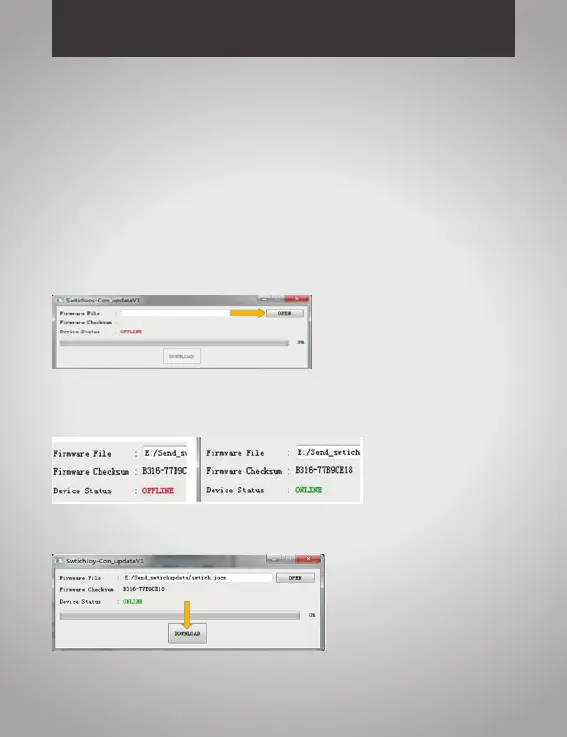
STEP 2 : Click on Switch_1127_fw.exe
STEP 3 : Press the 3D (left or right) for 5 seconds, the LED 1 & LED 3 will light on, keep
pressing for 3 seconds, the LED 1 & LED 3 will be off. Using the USB to contact the PC and
controller, the OFFLINE on the screen will show ONLINE.
STEP 4 : Click DOWNLOAD on the screen to update the controller


 To Next Page